Designing Artifacts in SitecoreAI: The Missing Piece Between Agents and Content
AI agents can research a topic, summarize information, generate campaign ideas, translate copy, and produce content variants in minutes. The harder architecture question starts after the agent finishes: what exactly should happen to the output?
An agent response is not automatically governed content. It can contain assumptions, unsupported claims, missing fields, stale context, or language that does not fit the target content model. It might still need editorial review, localization, legal approval, source validation, or mapping into SitecoreAI. This is where artifacts matter.
Sitecore defines an artifact in Agentic Studio as the primary output generated by an agent or flow. The official product documentation describes artifacts as standalone, editable content blocks. Depending on the producing agent, an artifact can also expose individual fields that editors can change, refine with AI, evaluate, copy, export, compare across versions, reuse as context, and convert into a SitecoreAI item.
That is the documented product behavior. My architectural interpretation goes one step further: an artifact is the operational boundary between probabilistic generation and governed content. It is the point where output receives a contract, a version, an owner, a review state, and a defined release path.

Why agent output is not yet content
A product demo often shows a straight line from prompt to generated text to published page. I would not use that pattern in production. It hides the decisions that matter: whether inputs were complete, whether claims were sourced, which version was approved, whether the content fits the selected template, and whether the team can reconstruct how the final text was produced.
Business request
  → Research
  → Campaign brief
  → Channel specification
  → Draft
  → Brand and legal review
  → Localization
  → SitecoreAI item
  → Publication
Every stage creates information that may become input for the next stage. A research agent identifies audience problems and gathers evidence. A strategy agent turns those findings into positioning. A content agent writes a landing page. A localization agent adapts the approved source version for another market. The output of every stage needs a recognizable shape, a status, a history, a source boundary, and an owner. An artifact supplies that handoff contract.
The distinction matters because language models produce plausible candidates. A CMS stores content that an organization is prepared to manage and deliver. Those two properties should not meet without an intermediate control layer.
Consider a campaign brief containing the sentence, “Teams reduce production time by 60 percent.” The wording is credible and the JSON may be valid, but the claim is unsafe unless an approved source supports it. A governed artifact gives reviewers a place to flag the field, attach evidence, remove the claim, or regenerate only that section. Sending the response directly to the CMS turns a generation problem into a production-content problem.
My preference is to treat conversion into SitecoreAI as a release step, not a generation step. Generation creates a candidate. Conversion creates a managed content item with a selected site, template, location, and downstream lifecycle.
The SitecoreAI operating model: agents, flows, spaces, and artifacts
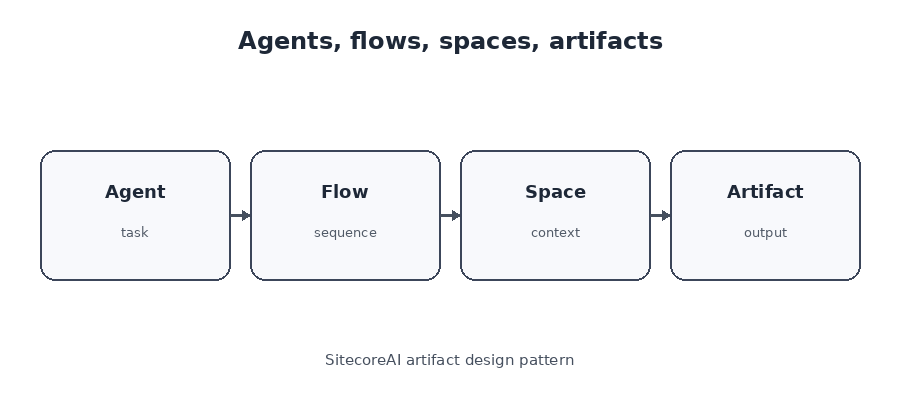
Four concepts need to be separated before designing an implementation.
| Concept | Primary responsibility | Operational question |
|---|---|---|
| Agent | Performs a specialized task | What work is being executed? |
| Flow | Coordinates multiple steps and handoffs | In what order does work occur? |
| Space | Collects related context, agents, runs, collaborators, and outputs | Where does the team continue the work? |
| Artifact | Preserves the generated deliverable | What object moves forward? |
SitecoreAI Spaces are structured workspaces. They capture activity, artifacts, and context in one place. A team can create a campaign space, attach brand and source context, run agents, review generated artifacts, invite collaborators, refine outputs, add more agents, and change the status of the space as work progresses.
The artifact is the piece that gives the workflow memory. A response is something the model says during a run. An artifact is something the team can inspect, edit, compare, export, refine, reference, and convert.
Sitecore’s January 2026 Agentic Studio update made this relationship more explicit. Agent sequencing allows teams to run agents in order and reuse artifacts from earlier agents as shared context. That feature is useful, but it also increases the need for governance. Reusable does not mean approved. An artifact can be technically available as context and still be commercially unsafe, regionally restricted, outdated, or superseded.
Design the artifact before designing the agent
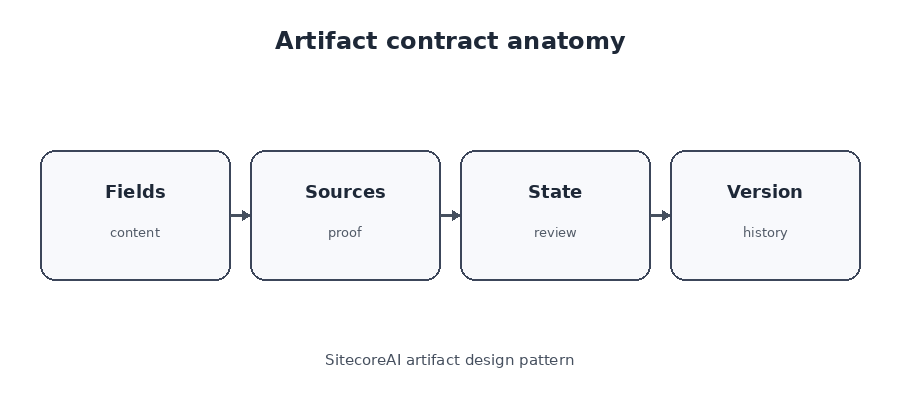
The strongest design rule is to define the required artifact before writing the prompt or configuring the agent. Start with the business deliverable and the next consumer.
- What must exist after the agent runs?
- Who reviews the result?
- Which fields must come from approved sources?
- Which fields may be generated?
- What will the next agent consume?
- Which values map into a SitecoreAI template?
- What blocks conversion?
- What must remain immutable after approval?
A campaign brief should not be one large body field. A useful contract separates objective, audience, positioning, proof, risk, sources, assumptions, and open questions.
{
  "artifactType": "campaign-brief",
  "schemaVersion": "2.1.0",
  "campaignTitle": "",
  "businessObjective": "",
  "targetSegments": [],
  "valueProposition": "",
  "messagePillars": [],
  "proofPoints": [],
  "claimsRequiringValidation": [],
  "openQuestions": [],
  "sources": [],
  "reviewStatus": "generated"
}
This structure tells the agent what success looks like, tells reviewers where risk lives, and tells downstream systems what they can rely on. It also prevents one common failure: burying uncertainty inside polished prose.
Structured versus narrative artifacts
Not every artifact needs a rigid schema. Research reports, workshop summaries, and early creative exploration often work better as narrative documents. Structured artifacts are stronger when the next step requires validation, routing, comparison, field mapping, or automation.
| Use a narrative artifact when | Use a structured artifact when |
|---|---|
| The output is mainly for human interpretation | Another agent or system consumes named fields |
| The format is still evolving | Required fields and validation rules are known |
| Nuance matters more than consistency | The output maps to a content model |
| The work is exploratory | The work must be compared across campaigns or markets |
A production pipeline normally uses both. Research may remain narrative. The approved brief should be structured. A landing-page draft may contain rich text, while its accompanying audit should expose a structured list of findings, severity, affected field, evidence, and recommended correction.
Schema design is workflow design
A schema is not only a technical format. It encodes business decisions. It defines what matters, which values are mandatory, what reviewers inspect, what can be regenerated, and what downstream steps may assume.
A weak schema has a title and body. A stronger schema separates verified findings, assumptions, recommendations, sources, risks, and unresolved questions. That distinction lets another agent use verified findings while a governance step blocks the workflow when a high-risk assumption remains.
I avoid universal artifact schemas with dozens of optional fields. They create incomplete output, ambiguous validation, and fragile prompts. I prefer a chain of smaller contracts: research artifact, campaign brief artifact, channel specification artifact, content draft artifact, localization artifact, and audit artifact. Each has one primary responsibility and one recognizable consumer.
Model uncertainty instead of forcing completion
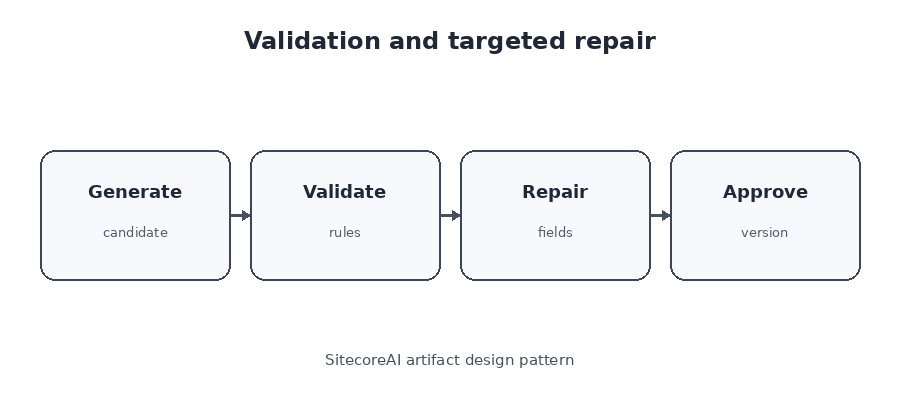
A required field should not force a model to invent information. Give the artifact safe ways to represent missing inputs.
{
  "approvedPricing": null,
  "pricingStatus": "requires-product-owner-input",
  "openQuestions": [
    "Which price may be published in the German market?"
  ]
}
This is not a minor schema detail. It determines whether the workflow exposes uncertainty or hides it inside plausible copy.
Use explicit states such as unknown, not-applicable, requires-owner-input, and blocked-by-policy. Do not overload an empty string to represent every missing condition. A null value with a reason is easier to route, audit, and explain than confident text generated to satisfy a required property.
Confidence is a review signal, not approval
SitecoreAI can expose confidence information for structured artifact fields. That can help editors focus attention, but a high score does not prove that a statement is current, legally approved, or commercially correct. Confidence describes the system’s assessment of its output. Approval describes an accountable business decision.
| Generation type | Low-risk field | High-risk field |
|---|---|---|
| Known from approved context | Spot check | Verify source freshness |
| Assumed | Confirm with owner | Block until confirmed |
| Generated | Editorial review | Block publication |
A generated headline needs editorial judgment. A generated security commitment, regulatory claim, price, contractual term, or performance statistic should block release until an accountable owner verifies it.
Provenance must travel with the artifact
Context and provenance are not the same. Context records what the agent could access. Provenance records what supports each important output.
{
  "claims": [
    {
      "text": "Agent sequencing can reuse earlier artifacts as context.",
      "sourceUrl": "https://developers.sitecore.com/changelog/sitecoreai/08012026/new-features-and-improvements-in-agentic-studio",
      "accessedOn": "2026-08-05",
      "verificationStatus": "verified"
    }
  ]
}
A list of URLs at the bottom of a report is weaker than claim-level provenance. Reviewers need to know which source supports which claim, when the source was accessed, whether it was approved for the target market, and whether the claim is a direct statement or an inference.
For implementation work, I use three provenance levels:
- Artifact-level provenance: the set of sources used during the run.
- Section-level provenance: the sources supporting a group of related conclusions.
- Claim-level provenance: the exact evidence behind a high-risk statement.
Not every sentence requires claim-level metadata. Pricing, legal statements, regulatory language, performance claims, security commitments, and market-specific facts usually do.
Artifacts are content and workflow state
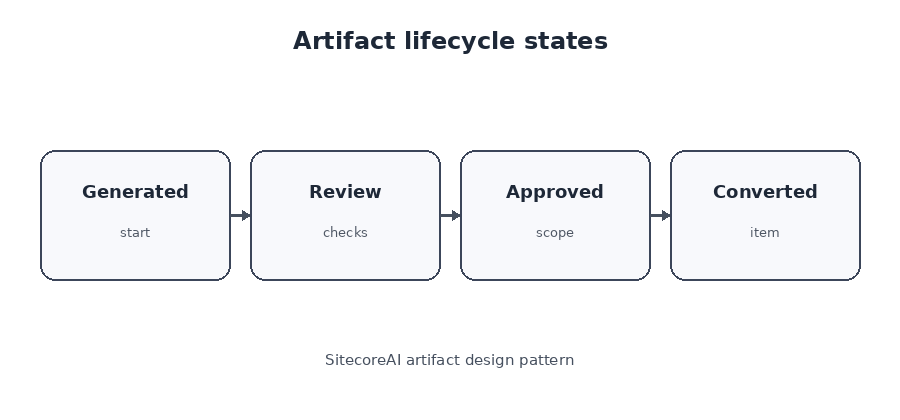
An artifact is both a deliverable and a stateful object. It may be generated, awaiting clarification, under review, approved, rejected, superseded, or approved for reuse. The workflow should branch on that status rather than treating successful agent execution as approval.
Generated
  → Structurally validated
  → In review
      ↳ Needs clarification
      ↳ Rejected
      ↳ Approved
          → Downstream agent
          → SitecoreAI conversion
Approval should be explicit and scoped. Record the approved version, reviewer, timestamp, language, region, channel, and affected fields. The newest version is not automatically the approved version.
SitecoreAI supports multiple artifact versions and comparison views. That feature is useful for editorial review, but a production process still needs a rule that identifies which version is allowed to move forward. A later AI refinement can create a new version without invalidating the historical approval record. The workflow must decide whether the new version requires full reapproval or only field-level review.
Field-level approval reduces unnecessary work
Assume legal has approved a disclaimer, product has approved a pricing statement, and editorial wants to rewrite the introduction. Regenerating the entire artifact creates avoidable risk because previously approved fields may change.
Mark protected fields as immutable for the current release candidate. Send only failed or editable fields back to the agent. This shortens review cycles and preserves decisions that should not be reopened.
{
  "regenerationRequest": {
    "artifactVersion": 4,
    "editableFields": ["headline", "introduction"],
    "protectedFields": ["approvedPricing", "legalDisclaimer"]
  }
}
Build multi-agent pipelines around artifact contracts
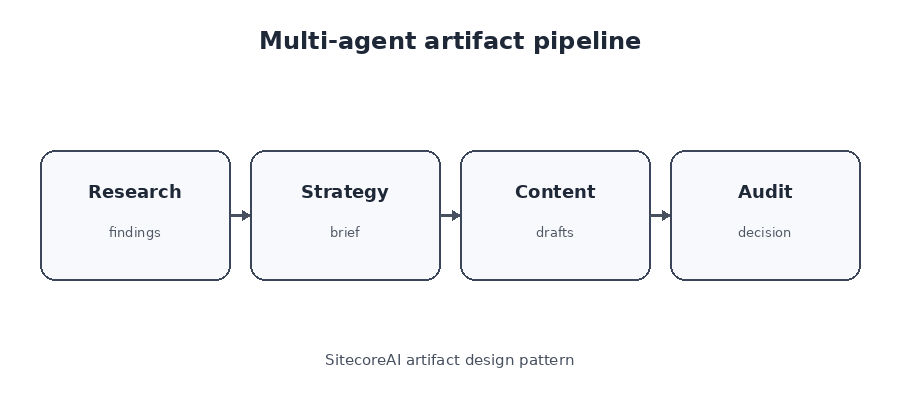
A production pipeline is easier to understand when each agent has one primary responsibility and produces one recognizable deliverable.
Research Agent
  → Research Artifact
  → Strategy Agent
  → Campaign Brief Artifact
  → Planning Agent
  → Channel Specification Artifacts
  → Content Agents
  → Draft Artifacts
  → Audit Agent
  → Audit Artifact
  → Human Approval
  → SitecoreAI Item
This design makes failures diagnosable. When the final page is weak, the team can inspect whether the research lacked evidence, the brief used vague positioning, the specification omitted required sections, the content agent ignored constraints, or the audit gate failed to block an unsupported claim.
Validate before and after execution
Input validation prevents the agent from guessing when essential information is missing. Output validation checks both structure and meaning.
Use deterministic rules for objective checks: required fields, data types, maximum lengths, supported language codes, valid product identifiers, source presence, approved terminology, and template compatibility. Use AI-assisted review for tone, differentiation, repetition, semantic alignment, and natural localization. Human reviewers remain responsible for strategy, legal acceptance, brand judgment, and release authorization.
Retry with corrective context
A retry should not repeat the original prompt. It should include the exact validation failures.
Your previous output failed validation.
1. Return targetSegments as an array.
2. Add an approved source for every performance claim.
3. Do not generate pricing.
4. Keep the meta description under 160 characters.
5. Preserve legalDisclaimer exactly as supplied.
When one field fails, regenerate that field. Rerunning the entire artifact can destroy work that reviewers already approved and makes version comparison harder than necessary.
A practical SitecoreAI implementation
The following implementation uses documented SitecoreAI behavior and adds governance rules around it. The governance metadata is an architectural recommendation; it is not a claim that every field shown below is a native SitecoreAI property.
1. Create a dedicated Space
Create a Space for one business objective, such as a product launch or regional campaign. Add persistent Space context for brand constraints, audience, prohibited claims, terminology, and the definition of done. Avoid mixing unrelated campaigns in one Space because shared context can influence later agents.
2. Add focused agents
Add a research agent, brief generator, content generator, and audit agent. SitecoreAI allows multiple agents in the same Space and supports building on earlier results. Keep each agent’s responsibility narrow enough that its artifact can be evaluated independently.
3. Attach approved context
Attach the brand kit, approved product documentation, source pages, existing briefs, and any artifacts that are explicitly allowed as context. Do not add brainstorming artifacts to persistent context merely because they are available.
4. Run the research agent
The research artifact should distinguish verified findings, interpretations, assumptions, and unanswered questions. Require source URLs for high-risk findings. If approved claims are missing, the artifact should expose the gap rather than fabricate a substitute.
5. Generate the campaign brief
Use the research artifact as context for the brief generator. Produce named fields that correspond to the later content specification and eventual SitecoreAI template. Review fields individually when the artifact supports structured output.
6. Review and refine the exact version
Editors can modify or refine artifact content and SitecoreAI creates updated versions. Use the comparison view to inspect changed fields. Record externally which version has passed brand, product, legal, and SEO review when the workflow requires formal approval evidence.
7. Run downstream agents
Once the brief version is approved for reuse, run the next agent with that artifact as context. Sitecore’s documented sequencing support allows agents to build on artifacts generated earlier in the same work.
8. Convert the approved artifact
SitecoreAI can convert an artifact into a structured item. The conversion process asks for the target collection and site, template, and location. Transformation skills can help map artifact content into the selected item structure. Preview the converted result in Pages and treat the conversion as another validation boundary, not as proof that the content is ready to publish.
End-to-end product launch example
Consider a product launch requiring a landing page, email, social posts, and localized variants for the United States, Germany, and France.
- A marketer creates a Space and submits the campaign objective.
- Input validation detects that approved product claims are missing and pauses the brief.
- A research agent creates a sourced research artifact and labels two findings as assumptions.
- A strategy agent creates a structured campaign brief.
- The campaign owner approves version 3 after revising the positioning field.
- A planning agent creates separate content specifications for landing page, email, and social channels.
- Content agents produce channel-specific draft artifacts.
- An audit agent flags one unsupported performance claim, a weak meta description, and repeated copy.
- The content agent regenerates only the failed fields while preserving approved pricing and legal text.
- Legal, SEO, and the content owner approve their respective scopes.
- Localization agents create German and French artifacts from the approved source version and protected terminology.
- Only the approved artifact versions are converted into SitecoreAI items.
The artifact history records what agents generated, what humans changed, which sources supported critical claims, and which version was authorized for conversion.
Testing artifacts in production
Test the contract, not just the prompt. Prompt-only testing asks whether one response looks good. Artifact testing asks whether the workflow behaves correctly across expected, missing, contradictory, and unsafe inputs.
- Schema tests: confirm required fields, types, enumerations, and length limits.
- Negative tests: verify that missing evidence does not produce fabricated claims.
- Mapping tests: confirm that artifact fields map to the selected SitecoreAI template.
- Regression tests: compare representative artifacts after model, prompt, schema, or agent changes.
- Workflow tests: confirm that rejected or unapproved versions cannot move to conversion.
- Localization tests: verify protected terminology, locale rules, and source-version alignment.
Integration tests should run the complete chain from research through conversion. An artifact can look correct by itself and still fail because a downstream agent expects a different field name, a template requires another shape, or a language variant uses an outdated source version.
Metrics worth capturing
I do not have measured production data for the current SitecoreAI release, so I would not claim a percentage improvement. The correct next step is to instrument the workflow. Useful operational metrics include:
- Percentage of artifacts failing structural validation.
- Number of unsupported claims blocked before conversion.
- Average number of versions before approval.
- Fields regenerated versus complete artifacts regenerated.
- Time from generation to approved version.
- Conversion mapping errors by template.
- Artifacts reused after their review date.
- Localized artifacts created from an outdated source version.
This is an admitted limitation of the article: it presents a production design and documented product capabilities, but it does not claim benchmark results from a live enterprise deployment of this exact SitecoreAI workflow.
Version schemas, agents, and reuse policies
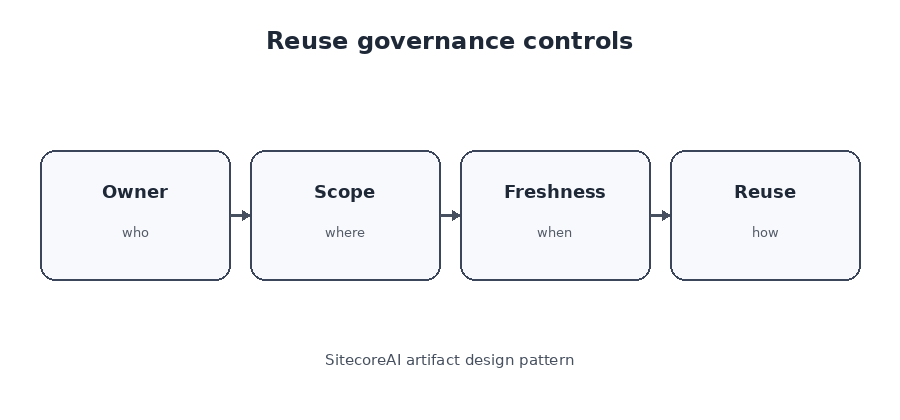
Every artifact contract should identify its type, schema version, and producing agent version.
{
  "artifactType": "campaign-brief",
  "schemaVersion": "2.1.0",
  "createdByAgent": "campaign-brief-generator",
  "agentVersion": "3.2.0"
}
Use major versions for incompatible contract changes, minor versions for backward-compatible fields, and patch versions for documentation or validation-message corrections. Do not silently reinterpret old fields during migration. Missing data should remain missing.
Artifacts reused across Spaces need ownership, expiration, language, regional scope, data classification, and supersession rules. A locally approved artifact should not become global truth by accident.
{
  "reusePolicy": {
    "scope": "regional",
    "allowedRegions": ["US", "CA"],
    "allowedLanguages": ["en-US", "en-CA"],
    "reviewBy": "2026-10-28",
    "requiresReapprovalOnModification": true
  }
}
My preference is to promote artifacts into reusable context only after an explicit review decision. Draft brainstorming output is useful project history. It should not silently influence future campaigns.
Where this model has limits
The artifact-centered approach adds governance, but it also adds operational cost.
- Small, disposable tasks may not justify persistent artifacts or formal approval states.
- Too many schemas can create maintenance overhead and slow experimentation.
- Field-level governance requires clear ownership outside the model itself.
- Cross-Space reuse can spread stale or regionally inappropriate information.
- Template changes can break conversion mappings even when the artifact is valid.
- Version history does not automatically establish that a version received business approval.
- Confidence information does not replace source validation or accountable review.
This pattern works best for deliverables that carry business risk, feed another agent or system, require traceability, or map into managed content. For a quick internal question with no downstream use, a temporary response may be enough.
Common anti-patterns
- Sending every agent response directly into the CMS.
- Using one universal schema for every workflow.
- Hiding missing information inside prose.
- Treating confidence as automatic approval.
- Reusing draft artifacts as approved context.
- Regenerating approved claims and disclaimers unnecessarily.
- Keeping only final copy while discarding sources, versions, and review history.
- Assuming the latest artifact version is the release candidate.
- Converting an artifact without validating its mapping to the selected template.
Decision framework
| Question | If yes |
|---|---|
| Is the output a business deliverable? | Create an artifact. |
| Does it require human review? | Create a versioned artifact. |
| Will another agent consume it? | Define a structured handoff contract. |
| Does it contain high-risk claims? | Add claim-level provenance and blocking validation. |
| Will it map to SitecoreAI content? | Align fields with the target template before generation. |
| Will it be reused across Spaces? | Add ownership, scope, freshness, and reapproval rules. |
Frequently asked questions
Is an artifact the same as a SitecoreAI item?
No. An artifact is generated work inside Agentic Studio. SitecoreAI can convert it into a structured item by selecting a site, template, and location. Treat that conversion as a release boundary.
Can artifacts have multiple versions?
Yes. SitecoreAI supports artifact version history and comparison. Teams still need an explicit rule identifying which version is approved for downstream use.
Can another agent consume an artifact?
Yes. Agents in a Space can build on earlier results, and current Agentic Studio sequencing supports reusing earlier artifacts as shared context. Only approved artifacts should become authoritative context in a governed workflow.
Should every agent produce structured output?
No. Narrative research and editorial drafts can remain unstructured. Use structured output when downstream steps require named fields, validation, routing, comparison, or CMS mapping.
Can artifacts replace human review?
No. They make review focused and traceable. They do not remove accountability for factual, legal, brand, commercial, or strategic decisions.
Should the latest artifact version be converted?
Only when that exact version has the required approvals. Latest and approved are separate concepts.
The operational unit of agentic content
Agents receive most of the attention because they are easy to demonstrate. They accept instructions and generate results. Reliable content operations depend on what happens next.
Without an artifact checkpoint, the team has generated text. With a structured, versioned, sourced, and approved artifact, it has an object that can safely move through the content lifecycle.
That is the missing layer between agents and content. It is also the design decision that determines whether SitecoreAI remains a generation interface or becomes part of a controlled production system.