Calling SitecoreAI Agents from .NET: Authentication, Jobs, Artifacts, and Error Handling
Connecting an autonomous application to a content platform is not merely an HTTP integration. The application can create pages, change content, upload assets, and trigger operations that affect a production experience. That changes the engineering question from “Can this endpoint be called?” to “Can every action be authenticated, traced, verified, and reversed?” The SitecoreAI Agent API provides the primitives needed to answer that second question, while .NET provides a mature foundation for building a disciplined client around them.
This guide develops a production-oriented approach to calling SitecoreAI agents from .NET. It covers client-credentials authentication, token caching, typed API clients, job correlation, artifact handling, validation errors, retries, observability, and rollback. The examples focus on the current Agent API conventions documented by Sitecore: the API base URL is https://edge-platform.sitecorecloud.io/stream/ai-agent-api, OAuth tokens come from https://auth.sitecorecloud.io/oauth/token, and Agent API actions execute against the production environment. That last point deserves emphasis. A convenient SDK wrapper is useful, but operational control is the real product.

1. Start with the operational model
The Agent API exposes secure REST endpoints through which AI agents and connected systems can work with Sitecore resources such as pages, components, content, assets, environments, personalization, jobs, brand kits, briefs, experiments, and flow definitions. From .NET, these endpoints look familiar: send JSON, receive JSON, and check the HTTP status. The important difference is that many calls have a durable side effect. A successful response can represent a new content item, a changed page, or an uploaded media item rather than a transient query result.
A reliable integration therefore separates four concerns. Authentication answers which automation client is acting. The API request describes the intended action. A job identifier groups the related actions into an auditable unit. Verification determines whether the resulting Sitecore state matches the business intention. Treating those concerns separately makes failures easier to classify and makes rollback possible without guessing which operations belonged together.
The optional x-sc-job-id header is central to that model. Sitecore documents it as a unique identifier used to trace, audit, and revert actions performed by an AI agent through the Agent API. It should represent a meaningful unit of work, not an individual HTTP attempt. If a workflow creates a campaign folder, three content items, a page, and two assets, all of those calls should normally carry the same job ID. If a transient network error causes one request to be retried, the retry should keep the same job ID because it remains part of the same business operation.
Choose the job boundary before writing endpoint code. A practical boundary is one user-approved objective or one automation run whose effects should be reviewed and potentially reverted together. Generate the ID in the orchestrating service, persist it alongside the workflow record, include it in structured logs, and return it to upstream callers. A GUID is convenient, but a prefixed value such as campaign-20260826-7f31... can improve human investigation as long as it remains unique and does not contain sensitive information.
Sitecore states that all Agent API requests are made in the production environment. That makes approval, least-privilege credentials, dry-run validation in your own code, and postcondition checks especially important. Do not treat a non-production .NET host as proof that the downstream action is non-production. Environment protection must be explicit in the workflow itself: permitted sites, permitted parent paths, maximum item count, accepted templates, asset size limits, and approval rules should all be evaluated before the first mutating call.
2. Authenticate with client credentials and cache deliberately

SitecoreAI Agent API authentication uses an environment automation client. The .NET service posts form-encoded client credentials to the Sitecore authentication endpoint with grant_type=client_credentials and the audience https://api.sitecorecloud.io. The response contains an access token, its token type, scope, and an expiration value. Current documentation shows a token lifetime of 86,400 seconds and recommends caching the JWT for 24 hours, with refresh after a 401 Unauthorized response.
Do not place the client secret in source control, application settings committed with the deployment, logs, traces, exception messages, or telemetry baggage. Load it from the secret facility appropriate to the host, such as Azure Key Vault, AWS Secrets Manager, a Kubernetes Secret backed by an external provider, or protected environment configuration. Restrict access to the workload identity that runs the integration. Rotation should be possible without rebuilding the application.
public sealed record SitecoreAgentOptions
{
    public required Uri ApiBaseUri { get; init; }
    public required Uri TokenEndpoint { get; init; }
    public required string ClientId { get; init; }
    public required string ClientSecret { get; init; }
    public string Audience { get; init; } = "https://api.sitecorecloud.io";
}

public sealed record OAuthTokenResponse(
    [property: JsonPropertyName("access_token")] string AccessToken,
    [property: JsonPropertyName("token_type")] string TokenType,
    [property: JsonPropertyName("expires_in")] int ExpiresIn,
    [property: JsonPropertyName("scope")] string? Scope);
Use a dedicated token provider rather than requesting a token inside every API method. The provider should coalesce concurrent refreshes so that a burst of calls after expiration creates one token request, not hundreds. It should refresh slightly before the advertised expiration to absorb clock differences and network latency. A five-minute safety window is reasonable for a 24-hour token, but keep the value configurable and use the server-provided expires_in rather than hard-coding the lifetime.
public interface IAgentAccessTokenProvider
{
    ValueTask<string> GetAsync(CancellationToken cancellationToken);
    void Invalidate();
}

public sealed class AgentAccessTokenProvider(
    IHttpClientFactory httpClientFactory,
    IOptions<SitecoreAgentOptions> options,
    TimeProvider timeProvider) : IAgentAccessTokenProvider
{
    private readonly SemaphoreSlim _gate = new(1, 1);
    private OAuthTokenResponse? _token;
    private DateTimeOffset _refreshAt;

    public async ValueTask<string> GetAsync(CancellationToken cancellationToken)
    {
        if (_token is not null && timeProvider.GetUtcNow() < _refreshAt)
            return _token.AccessToken;

        await _gate.WaitAsync(cancellationToken);
        try
        {
            if (_token is not null && timeProvider.GetUtcNow() < _refreshAt)
                return _token.AccessToken;

            var settings = options.Value;
            using var request = new HttpRequestMessage(HttpMethod.Post, settings.TokenEndpoint)
            {
                Content = new FormUrlEncodedContent(new Dictionary<string, string>
                {
                    ["client_id"] = settings.ClientId,
                    ["client_secret"] = settings.ClientSecret,
                    ["grant_type"] = "client_credentials",
                    ["audience"] = settings.Audience
                })
            };

            var client = httpClientFactory.CreateClient("SitecoreAuth");
            using var response = await client.SendAsync(request, cancellationToken);
            response.EnsureSuccessStatusCode();
            _token = await response.Content.ReadFromJsonAsync<OAuthTokenResponse>(
                cancellationToken: cancellationToken)
                ?? throw new InvalidOperationException("The token response was empty.");

            var lifetime = TimeSpan.FromSeconds(_token.ExpiresIn);
            var safetyWindow = TimeSpan.FromMinutes(5);
            _refreshAt = timeProvider.GetUtcNow() + lifetime - safetyWindow;
            return _token.AccessToken;
        }
        finally
        {
            _gate.Release();
        }
    }

    public void Invalidate()
    {
        _token = null;
        _refreshAt = DateTimeOffset.MinValue;
    }
}
Token acquisition has its own retry policy. A timeout or transient 5xx response may justify a short retry with jitter. An invalid client, invalid secret, or invalid audience does not. Those are configuration or authorization failures and should surface immediately with a sanitized diagnostic. Never log the form body. Record the endpoint host, status code, duration, and a correlation ID, but omit credentials and token content.
When the Agent API returns 401, invalidate the cached token, obtain a fresh one, and replay the API request once. The “once” matters: repeated 401 responses probably indicate revoked credentials, an audience mismatch, permission changes, or a broader authentication outage. An infinite refresh loop hides the signal and adds load. Requests with non-replayable bodies, particularly streams, need special handling; either recreate the content for the one authorized replay or handle token refresh before opening the stream.
3. Build a small, typed .NET client
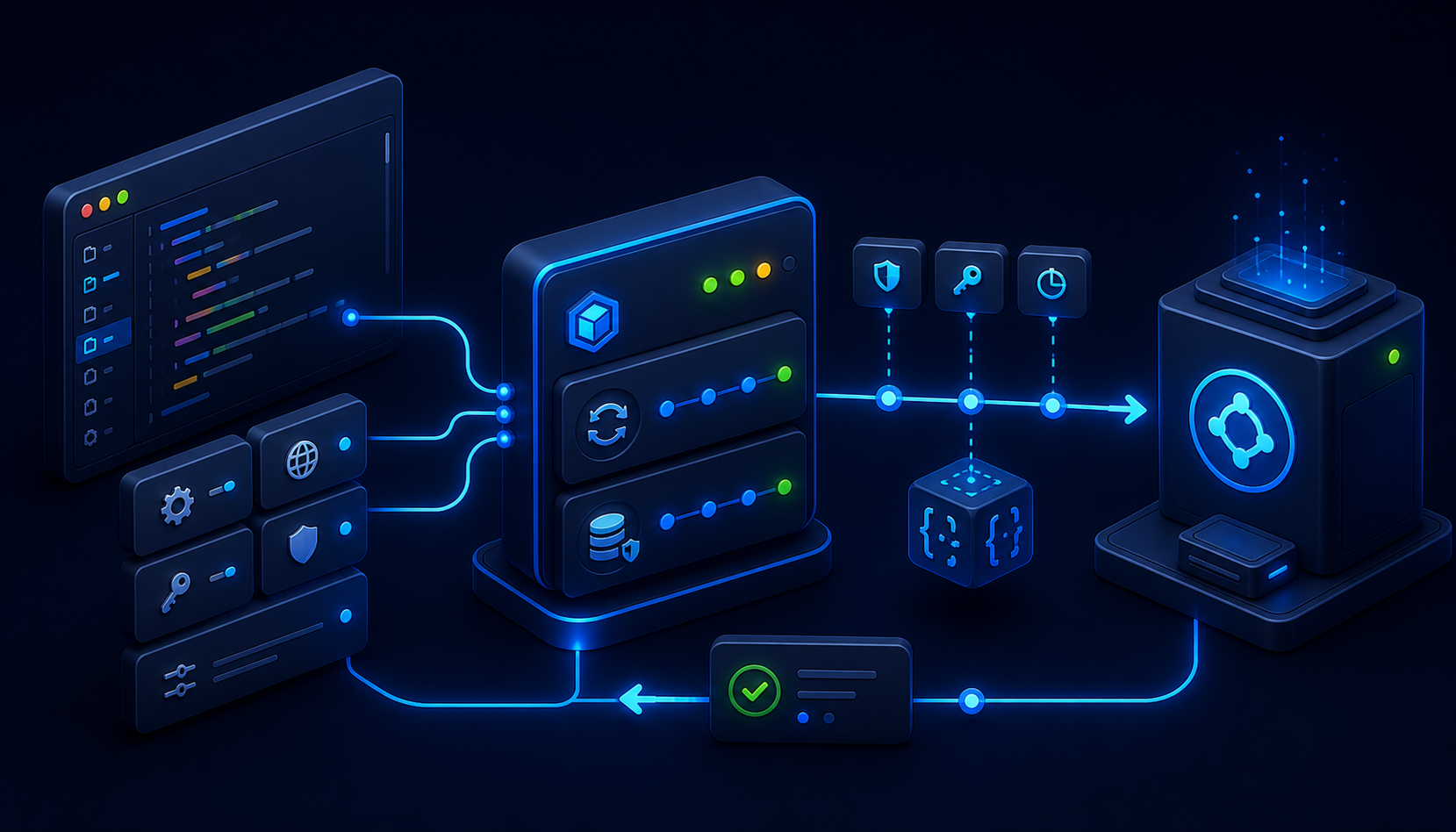
A good Agent API client is intentionally boring. It owns the base address, bearer token, standard headers, serialization settings, response parsing, and error normalization. It does not decide whether a campaign should be created, whether content is approved, or whether a failed workflow should be reverted. Those decisions belong in an orchestration or domain service where they can be tested independently.
Register a typed HttpClient with the documented Agent API base URL and an Accept: application/json header. Reuse clients through IHttpClientFactory; do not construct and dispose a new HttpClient for every action. Set a finite timeout appropriate to ordinary JSON requests, while allowing upload operations to use a separate named client or per-request cancellation budget.
services.Configure<SitecoreAgentOptions>(configuration.GetSection("SitecoreAgent"));
services.AddSingleton<TimeProvider>(TimeProvider.System);
services.AddSingleton<IAgentAccessTokenProvider, AgentAccessTokenProvider>();

services.AddHttpClient<SitecoreAgentClient>((provider, client) =>
{
    var settings = provider.GetRequiredService<IOptions<SitecoreAgentOptions>>().Value;
    client.BaseAddress = settings.ApiBaseUri;
    client.DefaultRequestHeaders.Accept.Add(
        new MediaTypeWithQualityHeaderValue("application/json"));
    client.Timeout = TimeSpan.FromSeconds(60);
});

services.AddHttpClient("SitecoreAuth", client =>
{
    client.Timeout = TimeSpan.FromSeconds(20);
});
Represent request and response contracts as records whose JSON names match the API schema. For example, the create-page request requires templateId, name, and parentId, with optional language and fields. The create-content request has the same core identifiers but models fields as an object. Keeping separate contracts prevents an apparently reusable DTO from obscuring endpoint differences.
public sealed record CreatePageRequest(
    string TemplateId,
    string Name,
    string ParentId,
    string? Language = null,
    IReadOnlyList<PageFieldValue>? Fields = null);

public sealed record PageFieldValue(string Name, string Value);
public sealed record CreatePageResponse(string ItemId, string Name);

public sealed class SitecoreAgentClient(
    HttpClient httpClient,
    IAgentAccessTokenProvider tokenProvider,
    ILogger<SitecoreAgentClient> logger)
{
    private static readonly JsonSerializerOptions JsonOptions = new(JsonSerializerDefaults.Web);

    public Task<CreatePageResponse> CreatePageAsync(
        CreatePageRequest body,
        string jobId,
        CancellationToken cancellationToken) =>
        SendJsonAsync<CreatePageRequest, CreatePageResponse>(
            HttpMethod.Post, "api/v1/pages/create", body, jobId, cancellationToken);

    private async Task<TResponse> SendJsonAsync<TRequest, TResponse>(
        HttpMethod method,
        string path,
        TRequest body,
        string jobId,
        CancellationToken cancellationToken)
    {
        for (var attempt = 0; attempt < 2; attempt++)
        {
            using var request = new HttpRequestMessage(method, path);
            request.Headers.Authorization = new AuthenticationHeaderValue(
                "Bearer", await tokenProvider.GetAsync(cancellationToken));
            request.Headers.TryAddWithoutValidation("x-sc-job-id", jobId);
            request.Content = JsonContent.Create(body, options: JsonOptions);

            using var response = await httpClient.SendAsync(request, cancellationToken);
            if (response.StatusCode == HttpStatusCode.Unauthorized && attempt == 0)
            {
                tokenProvider.Invalidate();
                continue;
            }

            if (!response.IsSuccessStatusCode)
                throw await AgentApiException.FromResponseAsync(response, jobId, cancellationToken);

            return await response.Content.ReadFromJsonAsync<TResponse>(
                JsonOptions, cancellationToken)
                ?? throw new AgentProtocolException("The successful response body was empty.", jobId);
        }

        throw new AgentAuthenticationException("Authentication failed after token refresh.", jobId);
    }
}
Always pass a CancellationToken from the incoming request, queue worker, or workflow deadline. Cancellation is not rollback. It stops local waiting and may interrupt transmission, but the remote operation might already have completed. After cancellation or a transport failure with an ambiguous outcome, query job details and operations before deciding to send the same mutation again.
Do not assume that every POST is safe to retry. If the server accepted a create request and the response was lost, an immediate replay could create a duplicate. Job operations give you evidence for resolving that uncertainty. For workflows that can be designed idempotently, use stable names, known parent identifiers, preflight lookups, and explicit postcondition checks. The job ID is a trace and rollback mechanism; it should not be treated as an undocumented idempotency key.
4. Use jobs as the transaction boundary you can observe

The Agent API exposes three job capabilities that should shape the client architecture: retrieve job details, list the operations associated with a job, and revert a job. The documented routes are GET /api/v1/jobs/{jobId}, GET /api/v1/jobs/{jobId}/operations, and POST /api/v1/jobs/{jobId}/revert. Listing operations provides action types, statuses, and timestamps. Revert restores state to what it was before execution and returns 201 Created when accepted successfully.
Think of the job as an application-level unit of change rather than a database transaction. It can span multiple HTTP calls and multiple Sitecore resources. Your .NET orchestrator should maintain its own workflow state: planned, executing, verifying, completed, failed, revert requested, reverted, or requires intervention. Persist the Sitecore job ID, every returned item or media identifier, and a concise hash or version of the approved input. This local record complements Sitecore’s operation history and answers business questions that protocol logs cannot.
public async Task<CampaignResult> ExecuteCampaignAsync(
    ApprovedCampaign campaign,
    CancellationToken cancellationToken)
{
    var jobId = $"campaign-{campaign.Id:N}-{Guid.NewGuid():N}";
    await workflowStore.StartAsync(campaign.Id, jobId, cancellationToken);

    try
    {
        var content = await agentClient.CreateContentAsync(
            campaign.ToContentRequest(), jobId, cancellationToken);
        await workflowStore.RecordItemAsync(jobId, content.ItemId, cancellationToken);

        var page = await agentClient.CreatePageAsync(
            campaign.ToPageRequest(content.ItemId), jobId, cancellationToken);
        await workflowStore.RecordItemAsync(jobId, page.ItemId, cancellationToken);

        var verification = await verifier.VerifyAsync(campaign, page.ItemId, cancellationToken);
        if (!verification.Succeeded)
            throw new PostconditionException(verification.Reasons, jobId);

        await workflowStore.CompleteAsync(jobId, cancellationToken);
        return new CampaignResult(jobId, page.ItemId, content.ItemId);
    }
    catch (Exception exception) when (exception is not OperationCanceledException)
    {
        await workflowStore.FailAsync(jobId, exception.GetType().Name, cancellationToken);
        throw;
    }
}
Verification should read the resulting state using the appropriate Sitecore capability and compare it with explicit postconditions. Confirm that returned identifiers are nonempty, items exist under the intended parent, required fields contain the approved values, language and version are correct, assets are reachable, and references point to the expected items. A 2xx response proves that the server accepted or completed the endpoint contract; it does not prove that the entire business objective is correct.
Rollback should be a policy decision, not a universal catch block. Automatically reverting may be appropriate when a tightly controlled workflow fails before any human or downstream system can consume its output. It may be unsafe after editors have modified a created item, after publication, or after another job has built on the result. Evaluate the current job operations, elapsed time, workflow phase, and external dependencies. For higher-impact work, surface a “revert recommended” state with the job ID and evidence for a human operator.
Make the revert call observable and idempotent at the orchestration layer. Record who or what requested it, why, when the request began, the HTTP result, and the subsequent verification. If the revert call times out, inspect job state before sending it again. After a successful response, query job details and relevant resources to confirm the restoration. A rollback that was requested is not necessarily a rollback that has been independently verified.
5. Treat artifacts and uploads as first-class resources

Agent workflows often produce artifacts: images, documents, structured briefs, generated copy, or intermediate JSON. Do not blur these into one “result” object. Classify each artifact by ownership, lifetime, content type, maximum size, approved destination, and whether it contains sensitive or licensed material. Some artifacts remain internal evidence; others become Sitecore media items referenced by pages or content.
The documented asset upload endpoint is POST /api/v1/assets/upload and uses multipart/form-data. Its body includes a binary file part and an upload_request part containing a JSON string. The upload metadata includes the asset name, item path, language, extension, and site name. The response reports success and provides the resulting media item. This differs from the JSON endpoints, so model it with a dedicated method.
public async Task<UploadAssetResponse> UploadAssetAsync(
    Stream stream,
    string contentType,
    string fileName,
    UploadAssetRequest metadata,
    string jobId,
    CancellationToken cancellationToken)
{
    using var request = new HttpRequestMessage(HttpMethod.Post, "api/v1/assets/upload");
    request.Headers.Authorization = new AuthenticationHeaderValue(
        "Bearer", await tokenProvider.GetAsync(cancellationToken));
    request.Headers.TryAddWithoutValidation("x-sc-job-id", jobId);

    using var multipart = new MultipartFormDataContent();
    var fileContent = new StreamContent(stream);
    fileContent.Headers.ContentType = MediaTypeHeaderValue.Parse(contentType);
    multipart.Add(fileContent, "file", fileName);
    multipart.Add(new StringContent(
        JsonSerializer.Serialize(metadata, JsonOptions),
        Encoding.UTF8), "upload_request");
    request.Content = multipart;

    using var response = await httpClient.SendAsync(
        request, HttpCompletionOption.ResponseHeadersRead, cancellationToken);
    if (!response.IsSuccessStatusCode)
        throw await AgentApiException.FromResponseAsync(response, jobId, cancellationToken);

    return await response.Content.ReadFromJsonAsync<UploadAssetResponse>(
        JsonOptions, cancellationToken)
        ?? throw new AgentProtocolException("The upload response was empty.", jobId);
}
Validate before opening the remote request. Enforce an allowlist of media types and extensions, inspect the actual file signature instead of trusting a filename, limit byte size and image dimensions, scan files when required, normalize filenames, and verify that the target item path is permitted for the automation. Keep generated files outside publicly served temporary directories. Dispose streams promptly and avoid loading large artifacts into a single byte array when streaming is possible.
Base64 is useful when a transport explicitly requires it, but it increases payload size and memory pressure. The Agent API asset endpoint is multipart, so a stream is normally the better .NET representation. If an upstream model returns base64, decode it into a bounded stream only after validating the declared format and an estimated decoded size. Never include raw base64 in logs. Record a SHA-256 digest, byte length, media type, source workflow, and policy decision instead.
Preserve provenance. For every promoted artifact, store the originating workflow ID, Sitecore job ID, generator or model version when relevant, prompt or approved input reference, checksum, creation time, reviewer, Sitecore media ID, and final URL or path. Provenance supports investigation, deduplication, licensing review, and reproducible regeneration. It also helps distinguish a failed upload from an artifact that uploaded correctly but was attached to the wrong content item.
After upload, verify both protocol and content-level conditions. Check the response success flag and media item, then confirm that the item resides at the intended path, has the expected metadata, and can be resolved through the channel that will consume it. When a later page operation references the asset, keep that action under the same job if both changes should roll back together. If the asset is shared across unrelated workflows, its lifecycle may require a separate job and explicit reference tracking.
6. Normalize errors before deciding what to retry
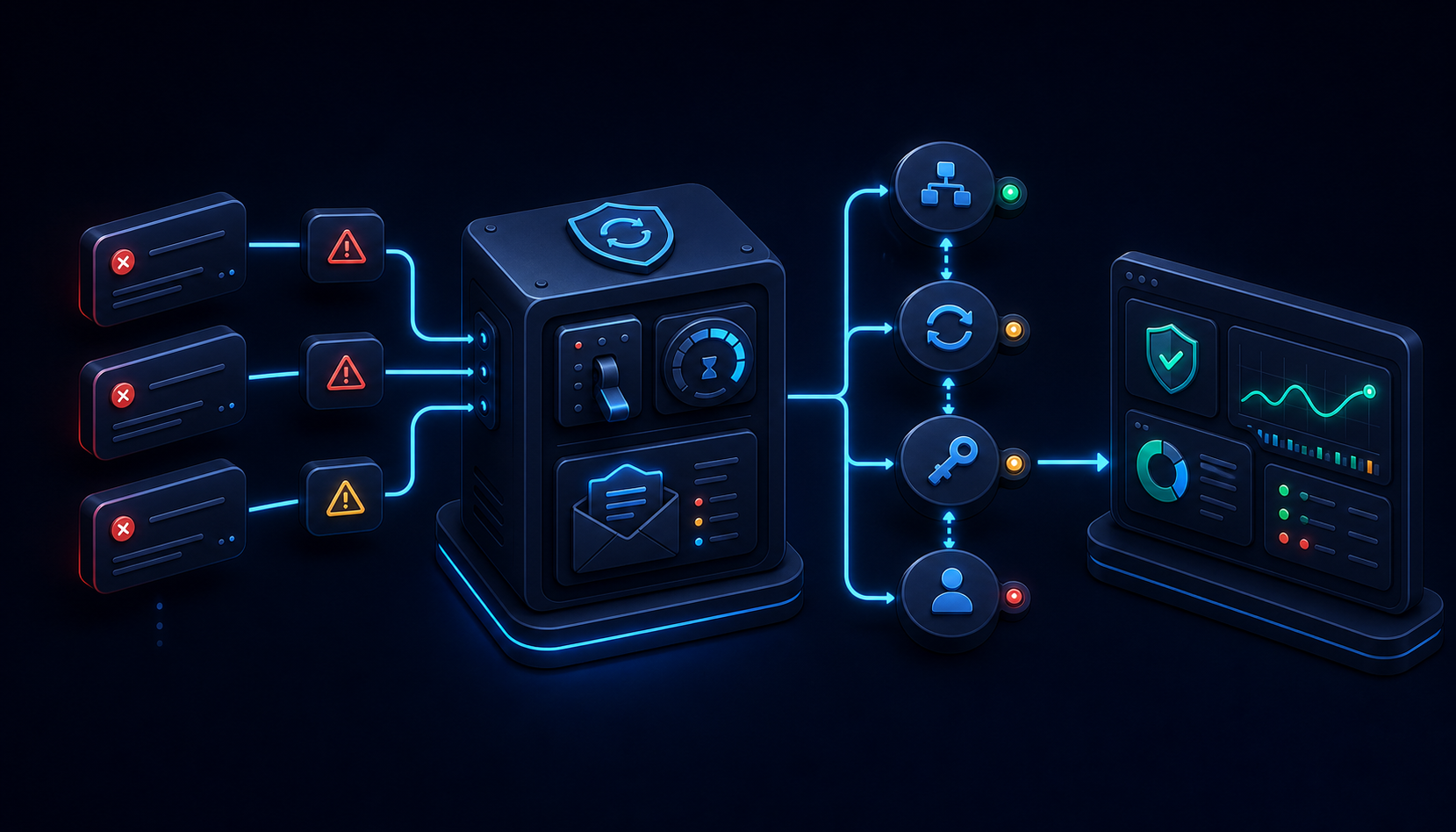
Error handling becomes reliable when the client converts HTTP details into a small, stable exception or result model. Preserve the HTTP status, job ID, endpoint, server correlation headers, and a bounded response body. Add parsed validation details where available. Do not expose secrets, bearer tokens, full generated content, or uploaded bytes. The orchestration layer can then decide whether to stop, refresh credentials, retry, verify, compensate, or request human intervention.
The current OpenAPI description documents 422 validation responses using an HTTPValidationError shape. Its detail array contains validation entries with fields such as loc, msg, type, input, and ctx. Parse this structure when possible, but retain a fallback for non-JSON or future error formats. An integration should not throw a second deserialization exception that hides the original response.
public sealed record ValidationProblem(
    IReadOnlyList<JsonElement>? Loc,
    string? Msg,
    string? Type,
    JsonElement? Input,
    JsonElement? Ctx);

public sealed class AgentApiException : Exception
{
    public HttpStatusCode StatusCode { get; }
    public string JobId { get; }
    public string? ResponseBody { get; }
    public IReadOnlyList<ValidationProblem> ValidationProblems { get; }

    private AgentApiException(
        HttpStatusCode statusCode,
        string jobId,
        string message,
        string? responseBody,
        IReadOnlyList<ValidationProblem> validationProblems) : base(message)
    {
        StatusCode = statusCode;
        JobId = jobId;
        ResponseBody = responseBody;
        ValidationProblems = validationProblems;
    }

    public static async Task<AgentApiException> FromResponseAsync(
        HttpResponseMessage response,
        string jobId,
        CancellationToken cancellationToken)
    {
        var raw = await response.Content.ReadAsStringAsync(cancellationToken);
        var bounded = raw.Length <= 16_384 ? raw : raw[..16_384];
        IReadOnlyList<ValidationProblem> problems = [];

        if (response.StatusCode == HttpStatusCode.UnprocessableEntity)
        {
            try
            {
                using var document = JsonDocument.Parse(raw);
                if (document.RootElement.TryGetProperty("detail", out var detail))
                    problems = detail.Deserialize<List<ValidationProblem>>(
                        new JsonSerializerOptions(JsonSerializerDefaults.Web)) ?? [];
            }
            catch (JsonException) { }
        }

        return new AgentApiException(
            response.StatusCode,
            jobId,
            $"Sitecore Agent API returned {(int)response.StatusCode}.",
            bounded,
            problems);
    }
}
Classify failures with a decision table. A 400 or 422 usually means the request must change; retrying the same payload adds noise. A 401 permits one token refresh and replay. A 403 points to authorization or policy and should not be retried automatically. A 404 may indicate a wrong identifier, missing parent, or propagation delay, depending on the operation. A 409 suggests a conflict that requires reading current state. A 429 should respect Retry-After. A transient 5xx, connection reset, or timeout may be retried only after considering whether the operation is safe to replay.
Use exponential backoff with jitter and a small maximum attempt count. Retry budgets should exist at one layer. If both the HTTP handler and workflow engine independently perform three retries, one logical action can become nine calls. Centralize the policy or pass retry context between layers. Honor cancellation and an overall workflow deadline so retries cannot outlive the business request.
The hardest case is an uncertain outcome: the request body was sent, but the response never arrived. For a read, retry is straightforward. For a mutation, query /api/v1/jobs/{jobId} and /api/v1/jobs/{jobId}/operations. If the operation is recorded as successful, continue with verification. If it is recorded as failed, surface the error. If no evidence exists and the endpoint is not demonstrably idempotent, do not blindly replay; reconcile using current resource state or require operator review.
Validation messages are valuable feedback for the workflow, but do not pipe them directly into an autonomous model and immediately execute the model’s revised request. Treat them as untrusted external input. Map known validation fields to constrained corrections, re-run local validation and policy checks, and preserve the original approved objective. This prevents an error body from becoming an uncontrolled instruction channel.
7. Add governance and observability around the client

Technical correctness is necessary but insufficient when automation can change production content. Put a policy gate before the first mutating request. The gate should evaluate the caller, requested capability, Sitecore site, parent path, template, language, expected operation count, artifact types, publication impact, and approval evidence. Return a structured decision that can be logged and tested. Avoid scattering policy across endpoint methods.
Use least-privilege automation clients and separate credentials for materially different workloads. A service that only uploads approved assets should not inherit permission to change personalization or create pages. Credential boundaries reduce blast radius and make audit records clearer. Rotate secrets, monitor token failures, and disable unused clients. Never let a prompt select credentials or an arbitrary API base URL.
Instrument each request with an OpenTelemetry activity. Include low-cardinality attributes such as endpoint template, HTTP method, status code, attempt number, operation category, and outcome. The Sitecore job ID is valuable trace context but may be high-cardinality, so include it in logs and trace attributes according to the capacity and indexing policy of your telemetry backend. Never use content text, prompt text, access tokens, secrets, or base64 artifacts as metric labels.
Useful metrics include request duration, token refresh count, calls by endpoint and outcome, validation failures, throttling responses, transient retries, uncertain outcomes, jobs completed, jobs requiring review, revert requests, revert success, verification failures, and artifact bytes uploaded. Alert on symptoms that require action: repeated authentication failures, a sustained rise in 422, exhausted retry budgets, jobs stuck in executing or reverting state, and verification failures after successful API responses.
Structured logs should connect the local workflow ID, Sitecore job ID, trace ID, approved actor, endpoint template, target site, target parent identifier, returned resource identifier, duration, status, and policy result. Log a digest or content version instead of full content. This provides enough evidence to reconstruct what happened without turning the logging platform into a secondary repository for sensitive material.
Apply concurrency controls. A queue worker can limit global calls, per-site calls, and expensive uploads independently. Backpressure is better than allowing thousands of generated actions to compete for sockets and API capacity. Where ordering matters, partition work by site or parent path. Keep a maximum operations-per-job rule so that rollback and human review remain understandable.
Test at three levels. Unit tests should cover token caching, safety-window refresh, one-time 401 replay, error parsing, retry classification, policy gates, and serialization. Contract tests should validate representative payloads against a controlled integration environment or recorded schema expectations without assuming production changes are harmless. Workflow tests should simulate partial success, timeout after send, validation failure, upload interruption, verification failure, and revert decisions. Use a fake HttpMessageHandler and TimeProvider so timing behavior is deterministic.
8. An end-to-end production workflow

A dependable workflow begins before authentication. First, convert the user or agent objective into a typed plan: intended Sitecore site, target paths, templates, language, fields, artifacts, and expected postconditions. Validate required values and enforce local allowlists. Estimate the number of mutations and determine whether human approval is required. Persist the approved plan or an immutable reference to it.
Second, create a local workflow record and a unique Sitecore job ID. The job ID should remain stable for the planned unit of work. Start a trace and add the identifiers to structured logging scope. Only then acquire a cached access token and begin issuing calls. Each request sends the bearer token, Accept: application/json, and the shared x-sc-job-id header.
Third, execute actions in dependency order. Upload or create prerequisite resources before the pages or content that reference them. Persist every returned identifier immediately, not only at the end. If an action fails with validation feedback, stop and return a structured problem to the planning layer. If authentication fails, refresh once. If a transient response occurs, apply the replay policy. If the outcome is ambiguous, inspect job operations and current resource state.
Fourth, verify explicit postconditions. Read back the created or changed resources, confirm identity and location, compare approved fields, resolve references, and test artifact availability. Verification should be separate from the command code because a server response and a business outcome answer different questions. Mark the workflow completed only when verification passes.
Fifth, handle failure according to phase and impact. Before any successful mutation, the workflow can generally fail without compensation. After partial success, list job operations and determine what changed. Automatically request revert only when policy permits and no downstream consumer has taken ownership. Otherwise, mark the workflow for intervention with the job ID, affected identifiers, evidence, and a recommended action. Verify the restored state after any revert.
Finally, retain a compact audit record: approved objective reference, actor, credential identity, workflow and job IDs, timestamps, API operation summaries, returned resource IDs, artifact digests, validation findings, retry decisions, verification result, and any revert evidence. Retention should follow organizational privacy and compliance policy. The audit record should explain the action without duplicating all content or secrets.
Recommended service boundaries
A maintainable .NET solution usually contains an AgentAccessTokenProvider, a narrow SitecoreAgentClient, a WorkflowPolicy, an ArtifactValidator, a domain-specific orchestrator, a verifier, and a workflow store. The token provider owns OAuth. The API client owns HTTP protocol behavior. The policy owns permission and scope decisions. The orchestrator owns sequencing and job boundaries. The verifier owns postconditions. The store provides durable state for recovery and operations.
Keep generated-agent reasoning out of the transport layer. The API client should accept typed, already validated requests. This makes the client reusable for deterministic applications and autonomous workflows alike. It also lets security reviewers reason about the exact surface exposed to agent-produced values.
Design judgments, tradeoffs, and limits
I would not generate a broad Agent API SDK and expose every generated method directly to an autonomous planner. That position is intentionally stricter than a conventional OpenAPI-client approach. A generated client is useful for contract models and routine serialization, but it also makes every represented endpoint look equally available. In an agent-driven production workflow, that is the wrong default. I prefer a narrow facade with methods such as CreateApprovedCampaignPageAsync or UploadReviewedAssetAsync because the method boundary can require policy evidence, a stable job ID, a bounded destination, and typed approved input. The extra wrapper code is justified by the smaller action surface available to generated decisions.
I also prefer application-level workflow persistence over relying on HTTP logs and Sitecore job history alone. The job endpoints answer which Agent API operations were associated with a job and provide the mechanism for inspection and revert. They do not replace the application’s record of why the work was approved, which business request initiated it, which postconditions were expected, or who accepted the outcome. Storing those facts in a small workflow table makes restart behavior deterministic. It also prevents an operator from reconstructing business state by correlating several telemetry systems during an incident.
This guide does not claim that the Agent API job ID is an idempotency key. The official description establishes its trace, audit, and revert purpose; it does not establish deduplication semantics for repeated create requests. The examples therefore use job inspection and state reconciliation after an ambiguous network failure. They do not promise exactly-once execution. If a future API contract documents endpoint-specific idempotency, the replay policy can become less conservative for those endpoints. Until then, a second create call after a lost response should be treated as a possible duplicate.
The code also does not claim that every change can be safely reverted at any arbitrary time. The documented revert endpoint restores state associated with the job, but an application still has to consider later edits and dependencies. Imagine that a job creates a media item and a page, an editor updates the page, and a separate campaign links to the media item. A mechanical revert may conflict with current ownership even though the original job is easy to identify. My preference is automatic revert only inside a short, policy-defined window before handoff or publication. After ownership changes, the workflow should present the job operations and affected IDs for review.
The sample token provider is deliberately in-memory. That is adequate for avoiding repeated token requests inside one process, and the semaphore prevents concurrent refreshes in that process. It does not coordinate a token cache across replicas. This is an admitted scope limit, not an implied platform guarantee. A multi-replica deployment can let each process maintain its own token, or it can place tokens in a protected distributed cache if operational evidence shows that shared caching is needed. The latter adds secret-distribution and cache-availability concerns, so I would not introduce it solely for architectural symmetry.
The examples use a five-minute token refresh safety window because it is a conservative application choice against the documented 86,400-second lifetime. Five minutes is not a Sitecore requirement or a measured optimum. Teams should configure the window and observe refresh behavior. The factual contract is the token response’s expires_in value and Sitecore’s guidance to cache the JWT and refresh after 401. The local safety margin is implementation policy, clearly separated from the vendor contract.
The retry guidance has a similar boundary. Exponential backoff with jitter is an application pattern, not a claim that every Agent API endpoint is replay-safe. I prefer a maximum of one authentication replay and a small transient retry budget because long hidden retry chains make job timelines hard to interpret. The exact count and delay require production evidence from the workload. The invariant is more important than the number: a mutation with an uncertain outcome moves to reconciliation before another attempt.
There is no performance benchmark in this guide. The examples have not been presented as throughput-tested code, and they should not be read as capacity guidance. Upload duration depends on artifact size, network path, server behavior, and configured timeouts. Workflow throughput also depends on how many operations belong to a job and which Sitecore resources they target. Measure request latency, throttling, queue delay, and verification time in the deployed environment before selecting concurrency limits.
The AgentApiException example intentionally bounds a captured response body at 16,384 characters. That value is a local data-minimization choice, not part of the Sitecore contract. A production implementation should consider the logging platform’s limits and the sensitivity of returned input fields. In some organizations, storing no raw error body is the correct choice; parsed field location, message type, status, endpoint, and job ID may be enough. The important design property is that a malformed error response cannot replace the original HTTP failure with an unrelated JSON parsing exception.
I prefer explicit response records to JsonDocument for stable success payloads because typed models make nullability and contract changes visible during review. For error payloads, I accept a more tolerant parser because failure bodies are where proxies, authentication layers, and future server versions are most likely to produce an unexpected shape. That asymmetry is deliberate. Strict success parsing protects business logic, while tolerant error parsing protects diagnosis.
Finally, this article covers the authentication, job, asset-upload, page-create, and content-create contracts needed to explain the architecture. It does not assert equivalent request shapes for every capability listed in the Agent API catalog. Personalization, experiments, flows, components, and other resources must be implemented from their own current operation definitions. Reusing the client infrastructure is appropriate; copying payload assumptions from one endpoint family to another is not.
Deployment checklist
- Use an environment automation client stored in a managed secret facility.
- Request tokens with the documented audience and cache them using
expires_inwith a safety window. - Refresh and replay once after
401; treat repeated authentication failure as an incident. - Use the documented Agent API base URL and send
Accept: application/json. - Create one
x-sc-job-idfor each auditable and revertible business workflow. - Persist job IDs and returned Sitecore identifiers before continuing to dependent operations.
- Validate templates, paths, languages, fields, artifacts, sizes, and operation counts locally.
- Stream multipart asset uploads and preserve artifact provenance without logging payload bytes.
- Parse
422validation details and map errors into a stable application model. - Retry only transient, replay-safe operations; reconcile uncertain mutation outcomes through jobs and resource state.
- Verify business postconditions after successful API responses.
- Make rollback policy-aware, observable, and independently verified.
- Instrument traces, structured logs, metrics, queue depth, and stuck-workflow alerts.
- Test partial success and ambiguous outcomes, not only happy-path JSON serialization.
Frequently asked questions
Which authentication flow does SitecoreAI Agent API use?
It uses OAuth 2.0 client credentials with a Sitecore environment automation client. Send client_id, client_secret, grant_type=client_credentials, and audience=https://api.sitecorecloud.io as form-encoded values to https://auth.sitecorecloud.io/oauth/token. Send the returned token as a bearer token on Agent API requests.
How long should a .NET service cache the token?
Use the expires_in value returned by the token endpoint. Current Sitecore documentation shows 86,400 seconds and recommends caching for 24 hours. In code, refresh shortly before the calculated expiration to account for clock skew and latency. Invalidate and refresh once if an API call returns 401 Unauthorized.
What is x-sc-job-id used for?
It correlates actions performed through the Agent API so they can be traced, audited, and reverted. Use one unique job ID across all API calls that belong to the same business workflow. Store it in your application database and logs. Do not change it merely because an HTTP attempt is retried.
Is a job ID an idempotency key?
Do not assume so unless Sitecore explicitly documents idempotency for the endpoint. The job ID provides correlation, operation history, and rollback capabilities. After a timeout on a mutation, inspect the job and current resource state before replaying the request.
How can a job be inspected and reverted?
Retrieve job details with GET /api/v1/jobs/{jobId} and list its actions with GET /api/v1/jobs/{jobId}/operations. Request restoration with POST /api/v1/jobs/{jobId}/revert. Apply organizational policy before reverting, then verify that the intended state was restored.
How are assets uploaded from .NET?
Use POST /api/v1/assets/upload with multipart/form-data. Include the binary stream in the file part and a JSON string in upload_request containing the name, item path, language, extension, and site name. Validate type, signature, size, destination, and provenance before upload.
What should happen after a 422 response?
Parse the documented validation detail entries, map them to a stable application error, and correct the request or plan. Retrying the same invalid payload is not useful. Re-run local policy and schema validation before submitting a revised request.
Should every 5xx or timeout be retried?
No. Reads and clearly replay-safe operations can use bounded exponential backoff with jitter. For mutations, a timeout can mean the operation succeeded but its response was lost. Query the job operations and resulting Sitecore state first. Retry only when the outcome is known to be absent or the operation is explicitly idempotent.
Conclusion
Calling SitecoreAI agents from .NET is straightforward at the wire level: obtain a bearer token, serialize a request, send it to the Agent API, and parse the response. Production readiness comes from everything around that call. Cache credentials carefully, keep endpoint contracts typed, define one meaningful job boundary, validate artifacts, classify failures, reconcile uncertain outcomes, verify postconditions, and make rollback an explicit operational decision.
The result is more than a convenient API wrapper. It is an accountable automation capability. Every action has an identity, every group of changes has a job ID, every artifact has provenance, every failure has a bounded response, and every successful workflow ends with evidence that Sitecore contains what the business approved.
Finally, treat the published OpenAPI document as the contract to monitor, not a file to copy once and forget. Pin the version used to generate or validate client contracts, review upstream changes, and run contract tests before deploying an updated integration. Endpoint coverage can evolve, and generated models should be reviewed for nullability, multipart behavior, and error shapes. Keeping protocol changes visible protects the operational guarantees described throughout this guide.