Using Agentic Studio Inside SitecoreAI Page Builder
Agentic Studio inside Page Builder puts AI assistance close to the page an editor is working on. The useful result is a reviewable change to identified content, supported by the right sources and checked in the intended page context. Opening a chat is the beginning of that process. The editor still needs to define the task, inspect the proposed output, and understand where accepted changes will be stored.
This walkthrough uses a hypothetical service landing page that needs a clearer introduction and call to action. It explains the documented entry points and proposes an editorial operating method around them. The prompt records and review examples are application designs, not exported Sitecore configuration. No live tenant was edited, and no measured productivity result is claimed.
My position is that the safest useful first task is a small content revision on a known page, with layout work treated as a separate decision. Teams can expand from that starting point after they understand their content dependencies and review process. A broad request to improve a page hides too many choices about claims, shared items, presentation, and release timing.
1. Understand the Page Builder context boundary

Understand what the canvas contributes
Sitecore’s chat documentation describes the Page Builder entry point and its context: the site collection, site, or page currently open in the canvas. This gives an editor a relevant starting point. It does not establish that every fact needed for a content decision is already present, or that the current view represents the intended release target.
Before prompting, read the visible page as an editor. Identify its purpose, intended audience, selected language, and current stage of work. Check that it is the actual page the requester meant. A site can contain similar service pages, campaign copies, and regional versions. Do not let a familiar headline substitute for confirming the target. Write a short identity note that another reviewer could use to open the same context.
Distinguish context from evidence. The current page may contain wording that needs correction. Its presence in the canvas does not make it an authoritative source for a new claim. If the task is to clarify a service promise, supply the approved service description or other trusted material. Use the page to understand placement and surrounding content, while using appropriate sources to decide what can be said.
Distinguish context from authorization as well. An assistant may have enough information to propose a change without having approval to save or publish it. State the desired phase in the request. For the hypothetical introduction, begin with a proposal and explanation. Later steps can accept selected changes after review. This is a recommended operating boundary, implemented through the controls available in the actual environment.
Define the page problem in observable terms
For this example, the introduction repeats the service name without explaining what the visitor receives. The proposed task is to replace that repetition with a concise statement grounded in an approved brief. The CTA should describe the existing destination clearly. The work does not require a new offer, a different destination, or a redesigned component. Naming those boundaries makes the review smaller and more meaningful.
Describe the problem in terms a reviewer can assess. Instead of asking for stronger copy, say that the first paragraph should identify the deliverable and that the button text should match the destination. Include the facts that must remain intact. If the current text has a required qualification, call it out. A reviewer can then judge whether the proposal improves clarity without changing the approved meaning.
Record the current content before generating alternatives. A baseline helps the editor compare exact wording and understand whether an apparent improvement actually removes a necessary condition. It also supports recovery if another person changes the same item during review. Use supported versioning and item inspection where available. Do not imply that a prompt by itself freezes the underlying content.
Decide how much neighboring content matters. A new introduction may be accurate alone yet contradict a subtitle or a lower section. Give the assistant enough surrounding material to detect that risk, and ask it to identify conflicts rather than rewriting everything automatically. A bounded task can still acknowledge dependencies. The important point is to make the next decision explicit when the work would expand.
Account for access and interface variation
Sitecore describes the updated Agentic Studio interface as a phased rollout. Your organization may have a different visible experience. Follow the controls available in your environment and use the corresponding documentation rather than searching for a button that is not yet present. The conceptual workflow remains useful, but a tutorial should not pretend that every screenshot or label is universal.
The Agentic Studio overview describes prerequisites involving Stream access, organizational access, and roles for configuration. Confirm those with the administrator when needed. A missing feature is a configuration or access question to resolve, not a reason to invent an alternate product capability in the prompt.
The admitted limitation is that this walkthrough has not been executed in your tenant, and it cannot establish which agents or controls your organization currently exposes. Treat the steps as a documented route to verify, with proposed review practices around it. Keep a note of material differences found during a rehearsal so the team’s internal guide matches its actual environment.
A useful rehearsal ends this section with an unambiguous task statement. The editor can name the page, explain the content problem, identify the trusted source, and state the intended review phase. If one of those is missing, resolve it before asking the assistant to act. This preparation gives later output a clear standard of usefulness instead of leaving quality to personal reaction.
2. Open the assistant and define a bounded editing task

Open the assistant from the page you intend to edit
In the documented Page Builder experience, select the Agentic Studio icon in the upper-right toolbar. The right pane provides Chat and a Run agents tab for compatible agents. Use Chat for a bounded conversational request or select an available compatible agent when its task fits. Keep the page identity visible in your own notes before beginning the request.
Choose an agent based on the work, not its name alone. A copy revision, translation, and research task have different inputs and review needs. Read the available description and required parameters. If the agent expects a target language or source material, provide them deliberately. Do not assume that a specialized agent will infer every choice correctly from the open page.
Start with a request that produces a proposal. For example, ask for a revised introduction and CTA label based on the attached approved brief, with the current destination preserved. Ask the assistant to identify the facts used and any ambiguity. The following is a proposed prompt, not a Sitecore configuration or guarantee of agent behavior.
Task: propose a revision for the currently identified service page.
Use the attached approved service brief as the factual source.
Revise the introduction and suggest a clearer CTA label.
Preserve the existing CTA destination and required qualification.
Return proposed wording, source references, and unresolved questions.
Keep this step at review; do not request publication.
Read the prompt as if you were handing work to a colleague. Does it state what needs to improve, which source governs the claims, and which choices remain fixed? If not, revise it before submission. A long prompt is not necessarily a precise one. Remove unrelated campaign history and focus on the information that helps the assistant perform this task.
Keep revisions connected to the original objective
When the first proposal appears, respond with specific feedback. If the deliverable is still unclear, identify the phrase that causes confusion and refer back to the source. If the wording is too long for the component, state the relevant presentation constraint. Avoid feedback such as make it better, which invites new decisions without clarifying which earlier choices should remain stable.
Request alternatives when they illuminate a real editorial choice. Two approaches might emphasize different supported benefits, and a reviewer may need to choose between them. Do not generate a large list merely because it is easy. Every alternative adds review work and may introduce another unsupported interpretation. Give each candidate a reason to exist and compare it against the same facts and constraints.
Treat a changed objective as a new decision. If the discussion shifts from clarifying the service to promoting a seasonal offer, the original source may no longer be sufficient. Update the brief and identify which previous decisions are superseded. A chat history can preserve context while still containing obsolete instructions. Make the current instruction clear enough that the next proposal does not combine incompatible directions.
Use a small written acceptance statement. For this example, a successful proposal names the service deliverable accurately, preserves the qualification, matches the existing destination, and fits the selected component. The statement is a review aid, not a universal scoring model. It lets reviewers explain a rejection and gives the assistant useful feedback without implying that fluent text automatically satisfies the task.
Resolve unexpected requests and missing controls
If the assistant asks for additional parameters, answer from the task and source material. A request for a target language should trigger a specific selection, not a guess based on the user’s browser language. If the agent cannot operate in the required context, use a supported route or choose a suitable agent. Do not keep adding instructions to compensate for a missing product capability.
If the expected panel is absent, check access and rollout status through the organization’s normal support path. Preserve the prepared brief and review criteria so work can continue through an available supported surface if appropriate. The inability to find one entry point does not justify claiming that a different route has identical behavior. Describe what was actually used in any internal handoff.
For long-running work, keep track of the conversation or space through supported navigation. Sitecore’s agent execution guide describes configuring an agent, supplying context or items, and reviewing its resulting artifact. Use the relevant route for your interface. Do not merge procedures from different entry points into an invented sequence of controls.
Before moving to application, reread the current task alongside the selected proposal. It is possible to approve a polished response that solves a different problem from the one originally assigned. Check the target and scope again. A short review at this point is cheaper than discovering after save that the assistant changed the offer or interpreted a shared item as page-local content.
3. Supply the right context, items, and agent parameters

Build a small, authoritative context set
For the service-page example, prepare the approved brief, relevant brand guidance, and the current content baseline. Give each a purpose. The brief supports factual claims, the brand guidance informs expression, and the baseline defines the change under review. These roles should be clear in the request. Adding more files without explaining their authority can create ambiguity rather than useful context.
The agent execution documentation describes Context, Items, Skills & Tools, and file attachments in supported chat routes. Use those controls to supply relevant material and inspect required agent setup. Choose only sources and tools needed for the task. A content revision does not automatically require broader actions merely because more tools are available.
Resolve conflicts before asking for a final proposal. An old campaign deck may promise something the current service brief does not. Tell the assistant which source governs and ask it to flag the discrepancy. If the source owner cannot resolve the conflict, preserve it as an unresolved question. Do not let a generated paragraph turn the conflict into a confident claim.
Keep evidence selection proportionate. The hypothetical task does not need every document in the organization. Select the sections that establish the service deliverable, required qualification, and accepted brand usage. If the agent needs more material, expand context deliberately. Record the added source and its role so reviewers understand why the next proposal differs from the previous one.
Use explicit parameters for choices with consequences
Inspect the chosen agent’s required parameters. A language, region, intended audience, or output form can affect the result materially. Set those values deliberately and record them with the task. An omitted value should not be interpreted later as an approved default merely because the run completed. If a default was used, name it in the review packet and decide whether it was appropriate.
For a custom workflow, distinguish agent configuration from a single run’s inputs. The team may maintain a reusable output schema or HTML template, while this task supplies the page and brief. Do not change reusable configuration casually to solve one page’s wording problem. If the task exposes a genuine configuration defect, give it a separate owner and review path.
If the agent returns structured fields, inspect them before their presentation. A title, summary, and unresolved-question list can be reviewed independently of a styled artifact. The exact fields depend on the configured agent; this is a proposed design principle, not a claim that every prebuilt agent returns the same schema. Preserve uncertainty rather than forcing every output into a polished final paragraph.
A helpful context ledger records the source identity and revision, the reason it was included, and any scope limitation. This ledger can live in the team’s review record if the product does not provide the required form. Do not claim that attaching a file creates an immutable source snapshot. Use the actual repository or document controls available to preserve the evidence needed for later review.
Keep source instructions separate from the assigned task
A source document can contain wording that resembles instructions. Treat it according to its role as evidence, rather than allowing it to redefine the user’s task or approval rules. For the proposed operating method, reviewers should challenge output that performs unrelated actions or changes the release scope because a source suggested doing so. Use the platform and client controls appropriate to the actual workflow.
Do not ask the model to establish authenticated reviewer identity or permission. The application and organization should supply those decisions through their supported mechanisms. The model may propose a reviewer role or note that approval is missing. It should not turn a generated field saying approved into authority to save or publish content. Keep those responsibilities visible in any custom integration.
Consider confidentiality when selecting context. Use only material the task is authorized to process and avoid unnecessary personal or commercial details. The service-page example can be supported by a bounded approved brief. If restricted research must inform the work, preserve access controls in the chosen system and provide public-facing evidence only when appropriate. Context convenience should not decide disclosure.
At the end of context preparation, ask the assistant to state what it knows and what remains unresolved for the specific edit. Compare that summary with the actual sources. Correct omissions before application. This is a proposed review checkpoint, not a guarantee that the summary is complete. It gives the editor a focused opportunity to detect a wrong source, missing qualification, or mistaken parameter while the output is still a proposal.
4. Review the proposed artifact and map changes to page content
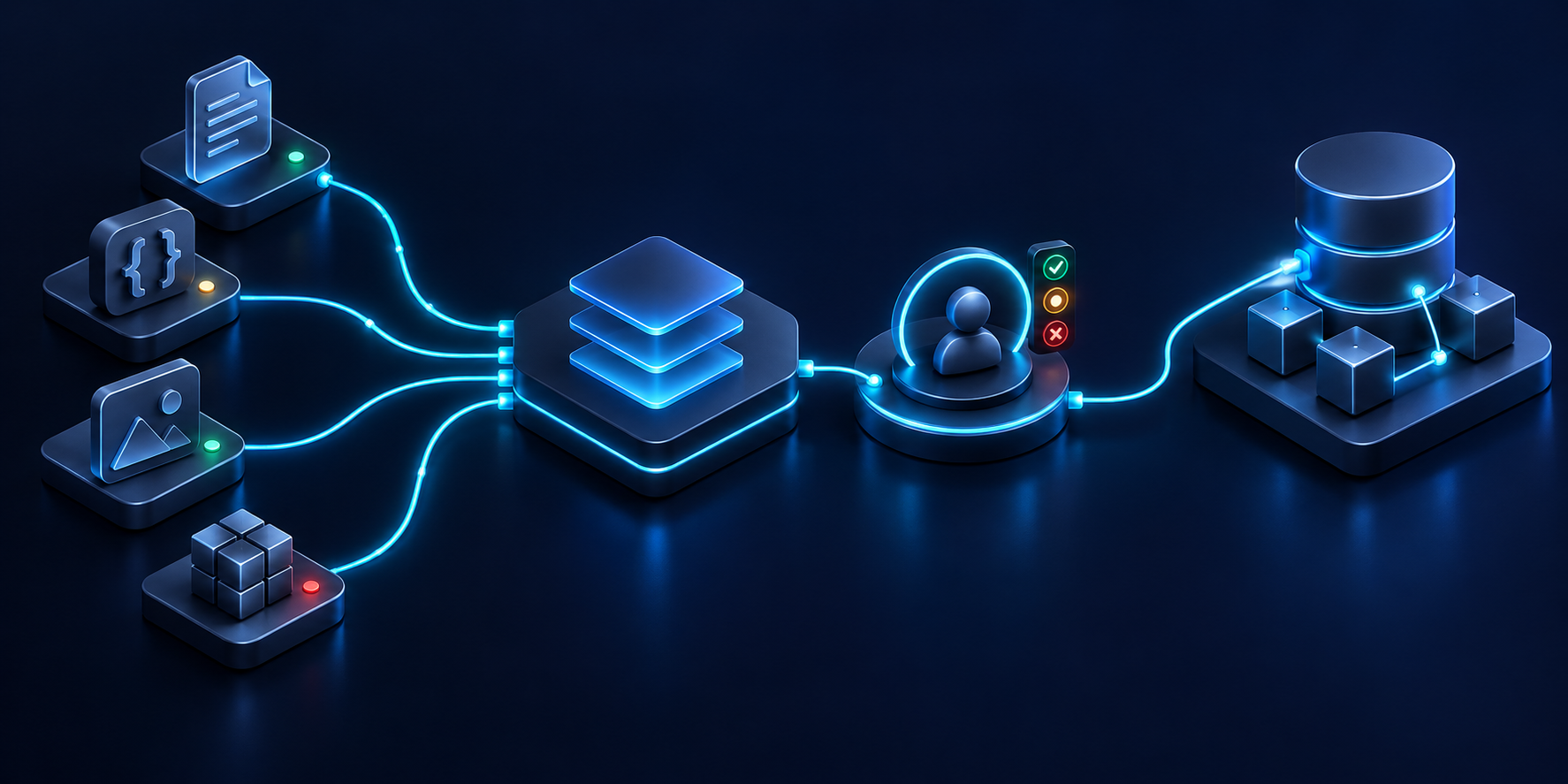
Review the output against the assignment
Open the generated artifact or proposed change using the controls available in the current interface. Read the actual content rather than relying on the assistant’s description of what it changed. For the service example, compare the introduction with the approved brief and check that the qualification remains. Verify the CTA label together with its destination. A fluent explanation of the work is not evidence that every field is correct.
Sitecore’s chat guide describes reviewing and applying proposed changes before AI-created, translated, or edited content is saved. Use that review step deliberately. Accept only the scope the editor understands and is authorized to apply. Where the interface offers a particular comparison or selection control, follow its documented behavior. Do not assume it supports a field-level choice that has not been verified.
Separate factual review from editorial preference. A reviewer may dislike a sentence’s rhythm without disputing its accuracy. Another sentence may be attractive but introduce a new promise. Record the reason for each requested correction so the assistant preserves accepted facts while revising expression. This distinction is useful when several iterations occur and reviewers need to understand why an earlier phrase was rejected.
Inspect omissions as carefully as additions. A shorter introduction can accidentally drop a qualifying condition that the source owner considers essential. Compare the result against a list of required meaning, not just a visual text diff. If the qualification appears elsewhere on the page, decide whether that placement still supports correct understanding. Record the actual decision instead of assuming proximity is adequate.
Map accepted meaning into the content model
Before applying changes, identify the destination fields. A proposed introduction may belong in a page field or a component datasource. A CTA may have separate label and link values. Confirm the actual model and supported editing route in the tenant. Do not paste an entire styled artifact into the first text field available merely because it resembles the desired output.
Treat the artifact’s HTML presentation as a view of generated content. It is not automatically a Page Builder layout or a definition of CMS components. If the task requires a different component arrangement, that is a page-design operation to evaluate separately. For this content exercise, keep the existing component and apply the accepted text through its intended fields.
A proposed field map for the hypothetical page can remain simple: the accepted introduction goes to the verified introduction field, the accepted button wording goes to the CTA label field, and the existing destination remains intact. The field names here are conceptual placeholders. Resolve actual field identifiers and types from the site’s model before turning the map into a procedure or integration.
Check transformations explicitly. A plain-text artifact field and a rich-text CMS field have different presentation possibilities. Decide whether formatting is needed and apply only supported markup through the site’s content conventions. For links, preserve the approved destination and relevant attributes using the intended link field. Do not confuse a rendered button’s appearance with a correct stored link.
Keep application separate from approval
Saving accepted wording establishes that the content is stored. It does not establish that every required review or workflow transition has occurred. After application, inspect the actual item, language, and version through the supported interface. Check the site’s workflow expectations with the content owner. Keep any outstanding review visible in the handoff rather than describing the page as ready because the chat step finished.
If another editor changed the destination during review, compare current state with the baseline. The accepted proposal may still be useful, but the old field map may be stale. Reconcile the difference before saving a new change. Where supported, use locking or concurrency controls; where a manual process is needed, have the responsible editor verify the current version. Do not overwrite an intervening change without understanding it.
Record the result in terms of actual state. A useful note says which content item and language were changed, which fields were accepted, and which review remains. Avoid claiming that the agent updated the page if the work only produced an artifact. Conversely, if content was saved, do not leave the operator guessing whether the next step is application or workflow review.
For a practical rehearsal, prepare a proposal whose introduction is acceptable but whose CTA label implies a different destination. Ask the editor to reject that inconsistency while retaining the useful wording through supported controls. Observe whether the process keeps the two decisions clear. This exercise tests the review method rather than attempting to prove that all generated output will be correct.
Add the accepted artifact revision or equivalent reference to the handoff. If the artifact can be edited later, make clear which revision supplied the saved content. A link to the latest artifact alone may become ambiguous after further work. Use the available revision history or the team’s review record to preserve the relationship between the reviewed proposal and the actual fields that were applied.
Consider a review in which the proposed introduction is factually correct but changes the emphasis from advice to a guaranteed result. The reviewer should explain that distinction and point to the governing brief. The next proposal can preserve the useful clarification while restoring the intended degree of commitment. This is a meaning-level correction; a comparison that only counts changed words would miss why it matters. Keep the reason with the accepted revision so a later editor does not reintroduce the same promise while shortening the page.
Now consider a proposal that is accepted, then edited manually before application. Compare the actual text to be saved with the accepted revision. A seemingly small manual addition may introduce a new factual claim or alter the CTA’s meaning. Decide whether the existing review still covers it. The point is to review the content that will actually be stored, regardless of whether the final wording came from the agent, a human editor, or both.
5. Handle layouts, variants, languages, and shared items carefully

Check the scope behind a local-looking edit
The current canvas can make a change feel local even when its underlying item is reused. Before editing a datasource or design, inspect how the site uses it. A shared promotional message, header, or footer can affect more than the visible page. The proposed operating rule is to identify that scope and involve the responsible owner before applying changes beyond the agreed page task.
Sitecore’s partial design documentation states that changes to an existing partial design apply to all pages using it. That is a concrete reason to distinguish page content from shared presentation. If the assistant’s recommendation involves a partial design, stop treating it as a simple introduction edit and review the wider impact.
For the hypothetical service page, the editor should ask whether the introduction’s datasource is dedicated to that page. If it is reused intentionally, a wording change may need agreement from additional page owners. If the business request is genuinely local, select a supported way to isolate the content where appropriate. Do not duplicate content automatically without considering maintenance and the site’s model.
Inspect the page’s language and version before application. Sitecore’s version guide describes working with page versions in Page Builder. Use the actual selected version as part of the target identity. A reviewed English proposal should not silently become a change to another language because the editor switched context during the conversation.
Handle variant-specific work deliberately
If the task concerns a personalized or experimental variant, identify it explicitly and use the corresponding supported editing workflow. The default page and a selected variant can display similar components while requiring different targeting of changes. A proposal should state which context it is intended for. Review that identity before accepting or applying the wording.
Do not turn a general content revision into an experiment inadvertently. If the assistant suggests multiple candidate introductions, those are editorial alternatives until the team deliberately configures a test. Choosing one in review does not require a live experiment. Conversely, preparing a test introduces separate questions about audience, goals, assignment, and release that the simple page-edit task does not answer.
For language work, distinguish translation from regional adaptation. A translated sentence may preserve source meaning while a regional offer needs different evidence. If the original task expands into another language, use the relevant agent and translation process with explicit target selection and review. Do not treat the page’s current context as permission to update every language version.
Check context after navigation. An editor may leave the page to inspect a shared item or open another language. Before the next dependent action, confirm the intended target again. This is a proposed operating habit, not a claim about whether a particular interface freezes or updates chat context automatically. The check is useful precisely because the team should not rely on an unverified assumption about that behavior.
Separate layout requests from content requests
A request to move a component, introduce another placeholder, or modify a shared design needs different review from replacing a paragraph. Inspect the site’s allowed components and page-design conventions through supported controls. An assistant can help explain a proposed arrangement, but the editor still needs to know where the arrangement can be applied and which other pages may be affected.
Avoid using generated HTML as a shortcut around the content architecture. A visual artifact may show cards or columns that the current page model does not support directly. Treat it as a design proposal and decide whether existing components can express it. If development is required, create a separate implementation task with an owner and acceptance criteria. Do not hide that requirement inside a large rich-text field.
Use a scope-change note when a local edit reveals a broader issue. For example, the introduction may remain hard to understand because the page design gives its qualification no visible place. Document the problem, the proposed design work, and the pages potentially affected. The content revision can proceed only if its accepted result remains meaningful in the current layout.
A useful review packet therefore includes more than the final paragraph. It identifies whether the change touches dedicated content, shared content, a page version, or a variant. It records the boundaries actually checked. That information lets the next reviewer assess scope without relying on the assistant’s confidence or the fact that only one page happened to be visible during generation.
Rehearse a shared-item scenario before adopting a broader workflow. Select a nonproduction example whose reuse is known, propose a harmless wording change, and inspect the affected references through available tools. Use the result to teach editors how to recognize shared scope. Report only what the rehearsal establishes; a successful check of one item is not proof that every site dependency is discoverable in the same way.
6. Verify the result and hand off a reviewable page

Verify the saved content in its intended context
After accepted changes are saved, reopen the intended page context and read the result. Confirm the item, language, and version. Compare stored values with the accepted proposal, then inspect the page rendering. These checks answer different questions: the fields show what was saved, while the page shows how the selected content is presented with its neighbors.
For the introduction, check that the deliverable remains clear and the qualification remains readable. For the CTA, inspect the destination through the supported preview or testing process. A label that fits visually can still send visitors to the wrong place. Record the actual checks performed instead of claiming that the whole page has been tested because one screenshot looks correct.
Review relevant layouts and interaction paths. If the component changes substantially at a narrow viewport, inspect that presentation. If the CTA is interactive, verify it through the site’s normal accessibility and functional review. W3C’s keyboard guidance provides primary guidance for keyboard interaction design. Use appropriate checks for the actual component; this article does not certify accessibility compliance.
Keep unresolved issues attached to the page’s review state. A factual question, broken link, or unreadable qualification should remain visible to the next owner. Do not hide it in a chat response far from the handoff. If the team accepts a limited change while broader work remains, state that scope clearly and prevent the limited acceptance from being interpreted as a full-page release decision.
Prepare a release handoff that stands on its own
The handoff should explain the original problem, accepted wording, source evidence, destination fields, and verification results. Include references to the artifact and saved content revisions where available. A colleague should be able to understand the change without reading the entire conversation. The chat is supporting history; the handoff is the current statement of what was done and what remains.
Use the site’s actual content workflow for subsequent review. The assistant’s output and an editor’s acceptance do not replace organizational approval requirements. If a publisher needs additional evidence, provide it through the established process. Sitecore’s publishing guidance distinguishes publishing scope, including languages and related items. Review that scope when the page is eventually released.
Publication is a separate action from this walkthrough’s content preparation. The editor should know which page and dependencies are intended for release, which language is selected, and whether all required workflow conditions are satisfied. Do not infer publication from a saved artifact or a successful application message. Verify actual delivery after the supported publication process when that step is authorized.
If the saved result differs from the accepted proposal, investigate before another generation run. The issue may be mapping, a stale version, shared content, or presentation rather than wording. Repeatedly asking the model to rewrite can conceal the original defect. Classify the difference and correct the responsible step. Preserve the accepted source and proposal so the team can compare them with current state.
Improve the workflow using captured evidence
After a rehearsal, record where editors needed clarification. Did they identify the page correctly? Did the context set contain conflicting sources? Did reviewers understand the difference between a proposed artifact and a saved field? These questions help refine the team’s procedure. If you later report time savings or fewer corrections, measure them through an agreed method instead of inventing a benefit from the workflow’s apparent simplicity.
Maintain a small set of representative tasks. Include a straightforward introduction edit, a conflicting-source case, a shared-item case, and an incomplete-context case. For each, define the expected review behavior and capture what actually happened. This proposed evaluation method focuses on whether the process makes correct decisions inspectable. It does not assume that one successful page edit proves readiness for unrestricted automation.
Update internal instructions when the product interface or agent configuration changes. Keep the documented entry point, available controls, and review expectations aligned with what editors actually see. Retest the representative tasks after material changes. A familiar agent name can conceal different parameters or behavior, so configuration ownership matters even when the daily workflow remains conversational.
For a final exercise, hand the completed record to an editor who did not create it. Ask them to locate the saved content, identify the trusted brief, explain the accepted changes, and name the next release step. Any difficulty is a concrete improvement opportunity. Fix the missing reference or ambiguous statement while the work is still fresh.
The useful outcome is a page change that can be inspected and maintained. Agentic Studio helps the editor prepare and refine that change near the page context. The surrounding method keeps facts, destinations, shared scope, and release decisions explicit. Begin with a bounded task, preserve the relationship between evidence and accepted content, and expand automation only as the team’s observed results justify it.
A practical closeout note can also explain what evidence would reopen the work. A revised service brief, changed destination, or new regional requirement may invalidate part of the accepted wording. Give that dependency an owner and a traceable reference. This makes maintenance more deliberate than waiting for someone to notice stale copy on the live page. The record need not predict every future change; it should identify the specific sources and relationships on which this edit relies. When one changes, the team can reassess the affected content with a clear starting point.
Keep those dependencies visible in the final page maintenance handoff.