Sitecore XP 10.5 Under the Hood: Containers, Solr 10, .NET 4.8.1, Security, and Upgrade Considerations
Sitecore XP 10.5 is presented as an infrastructure-focused upgrade rather than a feature release. The post explains how Windows Server, SQL Server, Solr 10, .NET Framework 4.8.1, security defaults, observability, messaging, and module compatibility affect 10.4-to-10.5 planning.
It outlines a staged upgrade approach covering platform readiness, Solr migration, custom code review, database and telemetry changes, and regression testing for publishing, search, authoring, and headless behavior. The emphasis is on sequencing, rollback planning, and verifying real production workflows.
Sitecore XP 10.5 is easy to misread if you scan the release notes looking only for new editor features. The most consequential changes are lower in the stack: Windows and SQL support, container baselines, a mandatory Solr 10 move, the .NET Framework target, security hardening, observability configuration, messaging dependencies, publishing behavior, and search internals.
That makes 10.5 particularly relevant to teams already running Sitecore XP 10.4. The upgrade is not just a package refresh. It changes infrastructure assumptions that may have been stable for years. If your estate still contains LTSC2019 images, Windows Server 2019 hosts, SQL Server 2019, Solr 9, older Application Insights configuration, custom code compiled around legacy dependencies, or operational workarounds for publishing and indexing defects, those details now belong in the upgrade plan.
My position is simple: for a containerized enterprise estate, Sitecore XP 10.5 should be treated as an infrastructure modernization program that contains an application upgrade, not as an application upgrade that happens to touch infrastructure. I prefer that sequence because it gives the team better fault isolation and a cleaner rollback story when Windows, Solr, runtime dependencies, databases, and Sitecore configuration are all moving.
This article turns the Sitecore XP 10.5 release notes and breaking-change documentation into an engineering playbook. The examples are intentionally concrete. They do not replace Sitecore’s topology-specific upgrade guides; they show how I would translate the documented changes into implementation tasks, code-review searches, deployment gates, regression tests, and production acceptance criteria.
1. Start with the platform baseline, not the Sitecore binaries
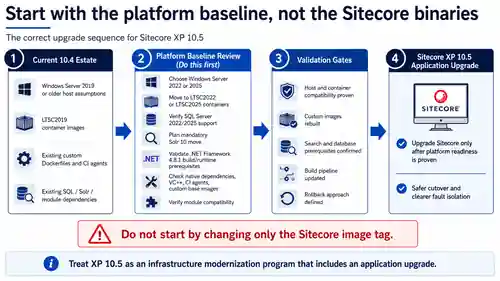
The first useful fact in the 10.5 release is the platform matrix. Sitecore XP 10.5 supports Windows Server 2025 for on-premises, Docker Compose, and AKS deployments. SQL Server 2025 is supported, SQL Server 2022 remains supported, and SQL Server 2019 is no longer supported. All Sitecore XP platform and component assemblies target .NET Framework 4.8.1. Sitecore also stops shipping Windows Server 2019 container images.
Those statements are more than compatibility notes. Together they define the dependency order for the upgrade. A team that starts by changing the Sitecore image tag before checking the host OS, SQL version, search version, build agents, and module compatibility has reversed that order.
The first hard stop: LTSC2019
If your current Sitecore 10.4 containers are built on ltsc2019, Sitecore 10.5 forces a platform decision. The 10.5 image line is built on ltsc2022 and ltsc2025 only. A Windows Server 2019 container host therefore has to move before the 10.5 application can be considered deployable.
I would explicitly separate the work into two deliverables. First, prove platform readiness: the Windows host, Docker runtime, Kubernetes node pool, build agents, and custom base-image strategy must work on the chosen 2022 or 2025 baseline. Second, prove Sitecore readiness: move the application and Sitecore-specific configuration only after the underlying platform is known-good.
That separation matters because Windows containers have tighter host/image compatibility requirements than teams accustomed to Linux containers sometimes expect. If a role fails after the team simultaneously changes the host OS, Sitecore version, Dockerfile base image, framework target, custom native dependencies, and deployment scripts, the incident has too many possible causes.
Inspect every Dockerfile, not only the Sitecore image tag
Mature Sitecore container repositories usually contain more than the official CM and CD images. They often include custom tools images, initialization images, build stages, debugging images, SQL initialization containers, reverse proxies, and project-specific utility layers. Search the entire repository for the old Windows baseline instead of assuming the main Compose file tells the whole story.
# PowerShell: locate Windows Server 2019 image assumptions
Get-ChildItem -Path . -Recurse -File -Include Dockerfile,*.yml,*.yaml,*.json,*.ps1 |
    Select-String -Pattern 'ltsc2019|windowsservercore.*2019|servercore.*2019' |
    Select-Object Path, LineNumber, Line
Run the same review against Azure DevOps or GitHub Actions definitions, self-hosted Windows agents, and image-build machines. A runtime environment can be compatible while the pipeline fails because the build host cannot build or run the target Windows image.
Review the Dockerfile as a native-dependency manifest
I would not copy an LTSC2019 Dockerfile and change one token. Review every layer that installs a native dependency. Sitecore 10.5 also updates the minimum required Microsoft Visual C++ Redistributable, which is a reminder that the platform is not composed only of managed assemblies.
# Illustrative pattern only. Use the official Sitecore 10.5 tag for your role.
ARG SITECORE_VERSION=10.5
ARG WINDOWS_VERSION=ltsc2022

FROM <your-sitecore-base-image>:${SITECORE_VERSION}-${WINDOWS_VERSION}

# Revalidate every custom native dependency:
# - Microsoft Visual C++ Redistributable
# - certificates and trust stores
# - PowerShell modules
# - debugging or diagnostic tools
# - Windows features
# - fonts and rendering dependencies
The exact Sitecore image tag must come from the official 10.5 Image and Tags List. The engineering point is to make the Windows baseline explicit and review every custom layer against it.
SQL Server 2019 is not an option in 10.5
There is an important distinction between “SQL Server 2025 is supported” and “all older supported SQL versions remain supported.” Sitecore’s 10.5 breaking-change documentation removes SQL Server 2019 from the support matrix. The supported SQL Server versions are 2022 and 2025.
If a Sitecore 10.4 estate still runs any Master, Web, Core, xConnect collection, reporting, or processing database on SQL Server 2019, the database platform must be upgraded before the 10.5 application move. That changes the risk profile of the project materially.
For estates already on SQL Server 2022 or Azure SQL, I would normally keep the database engine stable during the first 10.5 production move. Changing Windows, Sitecore, Solr, and SQL in one cutover makes rollback and root-cause analysis harder.
On-premises teams using WDP/msdeploy should also review SQL deployment tooling. Sitecore documents newer SQL tooling prerequisites because older DacFx, SQLSysCLRTypes, and SharedManagementObjects packages can fail against SQL Server 2022/2025 with ERROR_SQLCLRTYPES_NEEDED_FOR_SQL_PROVIDER.
Check Sitecore module compatibility before estimating the project
At the time of the Sitecore XP 10.5 release in August 2026, the release page explicitly notes that several Sitecore modules are still undergoing compatibility verification. The list includes products such as Sitecore Experience Accelerator, Sitecore Headless Rendering, Sitecore Publishing Service Module, Azure Blob Storage, Codeless Schema Extensions, and the Content Hub connector.
This is not a footnote. A platform may be available while a module used by your solution is not yet certified for that platform. Before estimating the upgrade, inventory every Sitecore module and third-party module and verify its current compatibility status. I would rather postpone a production move than discover during UAT that a critical closed-source module has no supported 10.5 build.
The inventory I would require before design starts
| Area | Current state to capture | 10.5 consequence |
|---|---|---|
| Windows hosts | 2019 / 2022 / 2025 | 2019 cannot host the 10.5 container image line |
| Container tags | LTSC version per role and custom image | Custom images may still inherit LTSC2019 |
| CI agents | OS, Docker capability, native dependencies | Build compatibility can fail before runtime |
| SQL | Engine/service/version | SQL Server 2019 is unsupported; 2022/2025 are supported |
| Solr | Version, auth mode, topology, custom schema | Sitecore XP 10.5 supports Solr 10 only |
| .NET | Target framework and build packs | Platform assemblies target .NET Framework 4.8.1 |
| Native prerequisites | VC++ and SQL deployment tooling | Minimum prerequisite versions changed |
| Modules | SXA, Headless, SPS, connectors, vendor modules | Compatibility must be verified independently |
If that table is incomplete, the team is not ready to estimate the upgrade accurately. The uncertainty is not in the release notes; it is in the estate.
2. Solr 10 is mandatory, and the breaking changes go beyond authentication
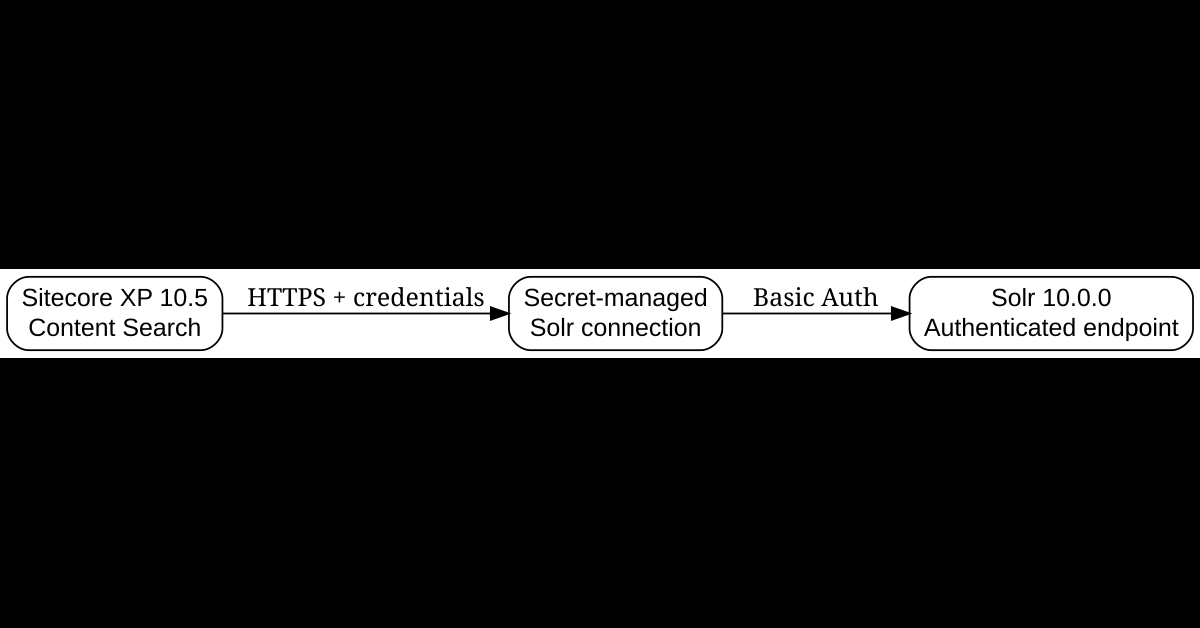
The 10.5 highlights say Apache Solr 10 is supported. The breaking-change document is more explicit: Sitecore XP 10.5 supports Solr 10 only. Support for Solr 8 and Solr 9 has been removed, and Sitecore says to upgrade Solr before upgrading Sitecore.
This is one of the most important corrections to make when planning from the highlights alone. A 10.4.1 estate on Solr 9.8.1 cannot simply keep that Solr version while moving the application to 10.5. The search platform is part of the mandatory upgrade path.
Authentication changes how Solr configuration is deployed
Solr 10’s authentication requirements turn search connectivity into a secret-management problem. Sitecore documents separate values for administrative credentials used during initialization and connection credentials used by the application. In the container deployment model, Sitecore also splits the previous connection-string secrets into separate protocol, instance, port, username, and password secrets.
# Secrets documented for Sitecore 10.5 container deployments include:
sitecore-solr-admin-username.txt
sitecore-solr-admin-password.txt
sitecore-solr-connection-username.txt
sitecore-solr-connection-password.txt
sitecore-solr-instance.txt
sitecore-solr-port.txt
sitecore-solr-protocol.txt
That separation is better than sharing one administrative account everywhere. The admin identity is used for initialization; the runtime identity is used for Sitecore connectivity. Store both in the secret-management system already trusted by the environment rather than in committed XML or Compose files.
For authenticated connection strings, Sitecore documents the endpoint pattern as https://user:password@hostname:port/solr. Treat every configuration file, log statement, pipeline variable, and diagnostics endpoint that could expose this value as sensitive.
Custom Solr provisioning scripts need a filename check
The managed schema file shipped with Sitecore is renamed from managed-schema to managed-schema.xml. That sounds trivial until a custom provisioning script copies the old filename into every core during deployment. Search scripts and Docker layers for explicit references to the old name.
Get-ChildItem -Recurse -File -Include *.ps1,*.cmd,*.bat,*.yml,*.yaml,Dockerfile |
    Select-String -Pattern 'managed-schema(?!\.xml)' |
    Select-Object Path, LineNumber, Line
Faceting and sorting can change because the schema changed
Sitecore’s 10.5 Solr schema uses solr.SortableTextField for several built-in and dynamic field types that previously used solr.TextField. That change affects docValues and therefore what sorting and faceting observe.
For fields such as __name, __displayname, *_t, and *_txm, faceting can now operate on the whole raw field value instead of individual analyzed tokens. If your application facets on custom text fields or assumes the old tokenized behavior, compare the actual facet values before and after migration.
There is also a documented Apache Solr issue affecting pivot faceting on SortableTextField. Sitecore exposes ContentSearch.Solr.UseEnumFacetMethod as a workaround. If the solution uses multi-field facets or item bucket facets, this should be an explicit regression case, not a surprise discovered by content authors.
HTTP POST is now the default for Solr queries
Sitecore XP 10.5 changes ContentSearch.Solr.SendPostRequests from false to true. That fixes the class of long-query failures that previously produced (414) Request-URI Too Long, but it also means proxies, WAF policies, access logs, or custom diagnostics that assume search requests use HTTP GET should be reviewed.
This is a good example of a fix that can expose an infrastructure assumption outside Sitecore itself.
Custom schema helpers and Content Search extensions deserve code review
The Solr 10 upgrade removes SolrV8SchemaPopulate and SolrV9SchemaPopulate. Sitecore now uses a Solr-10-specific default SchemaPopulateHelper, with additional changes to populate-helper factories, tokenizable field type resolution, dependency injection registrations, and several protected/public APIs.
If your solution customizes Content Search, run a targeted repository scan before compiling:
$patterns = @(
  'SolrV8SchemaPopulate',
  'SolrV9SchemaPopulate',
  'SchemaPopulateHelper',
  'ISchemaPopulateHelper',
  'DefaultPopulateHelperFactory',
  'UntokenizedSolrTypes',
  'FacetPartBuilder',
  'ParallelForeachProxy',
  'ParallelDisabledSecurityProxy'
)

Get-ChildItem -Recurse -File -Include *.cs,*.config,*.xml |
    Select-String -Pattern $patterns |
    Select-Object Path, LineNumber, Line
Compilation failures are useful here because they expose direct API coupling. More dangerous are overrides that still compile but are silently no longer called. That is why the review should include inheritance and pipeline patches, not only package references.
Search validation is more than “the core exists”
A successful connection from CM proves very little. The acceptance test should exercise the complete search path used by the application: core or collection initialization, Schema Populate, full rebuild, SwitchOnRebuild, queries from CM and CD, language filters, security trimming, phrase searches, facets, wildcard paths, custom computed fields, and xConnect-related search roles where applicable.
SolrCloud deserves its own test because 10.5 resolves the active collection through Solr aliases instead of local properties. Do not treat a successful standalone Solr smoke test as proof of SolrCloud behavior.
Preserve representative queries as a regression artifact
Before migration, capture a small library of real search queries. The point is not to benchmark synthetic examples. Capture the query categories the application depends on:
// Query categories to preserve before the migration
- language = en AND template = Article AND publishDate <= now
- exact phrase search: "sitecore upgrade"
- category + author facets
- a security-trimmed query for a restricted user
- SXA search token queries
- wildcard route/item resolution
- custom computed-field filters
Record expected result counts or representative IDs before the migration and compare them after rebuilding. “Index rebuild completed successfully” is an operational signal. “The same application query returns the expected content and facets” is a functional signal.
I like the removal of automatic Solr optimize
Sitecore 10.5 no longer automatically executes Solr optimize after index operations. I prefer this behavior because optimize is an expensive operation and should be a deliberate search-platform maintenance decision, not a generic cleanup action triggered after ordinary indexing.
If an operations runbook currently assumes Sitecore performs optimize implicitly, update the runbook and monitor segment behavior after migration before introducing any replacement job.
3. .NET Framework 4.8.1 is only part of the runtime story
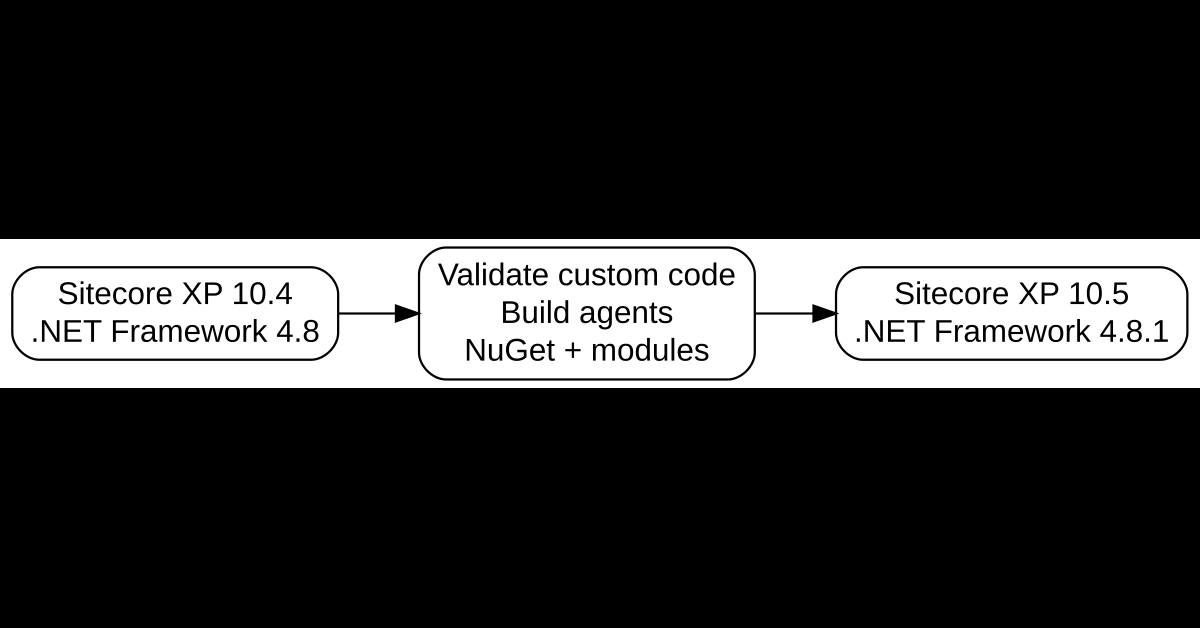
All Sitecore XP 10.5 platform and component assemblies move from .NET Framework 4.8 to 4.8.1. The number looks incremental, but the blast radius includes developer packs, CI build agents, custom assemblies, third-party modules, package constraints, binding redirects, test hosts, native prerequisites, and code that consumes Sitecore’s own framework libraries.
Make build infrastructure a first-class dependency
Before changing project files, verify that every build environment can target .NET Framework 4.8.1. In a containerized setup, the runtime image may already provide the application runtime, while the CI environment still fails at compile time because its targeting pack or build tools are stale.
# PowerShell: inspect the installed .NET Framework 4.x release value
$release = (Get-ItemProperty `
  'HKLM:\SOFTWARE\Microsoft\NET Framework Setup\NDP\v4\Full' `
  -Name Release -ErrorAction Stop).Release

Write-Host "Installed .NET Framework release value: $release"
Map the release value against Microsoft’s current .NET Framework documentation rather than hard-coding an unexplained number into a deployment script.
Sitecore XP still runs on .NET Framework 4.8.1, but Sitecore Framework moves to .NET 10
This is one of the more subtle breaking changes. Sitecore XP itself remains a .NET Framework 4.8.1 application, but the Sitecore Framework library family consumed by platform components moves to the .NET 10 servicing line. Several Sitecore.Framework.* packages and transitive dependencies make major-version jumps.
That matters if custom code references those packages directly or pins transitive dependencies. Sitecore calls out changes across Sitecore.Framework.Common, Configuration, Rules, Messaging, TransientFaultHandling, Microsoft.Extensions.*, System.Text.Json, Azure SDK packages, and Rebus packages.
Search project files for Sitecore.Framework. and review custom binding redirects. A solution that only consumes normal Sitecore APIs may not need action, but a solution that directly extends Sitecore Framework types should recompile and retest instead of assuming redirects will absorb major-version changes.
Telerik is another custom-module trap
Sitecore upgrades Telerik UI for ASP.NET AJAX from the 2020 generation to 2025.2.528. Standard Sitecore assemblies are already licensed, but custom code that directly references Telerik NuGet packages has additional work: package IDs changed, a new licensing runtime assembly appears in bin, and custom assemblies built against Telerik require their own Telerik license key.
Search for Telerik.Web.UI in project files and code. If a custom Sitecore module compiles its own Telerik-backed controls, treat that module as a specific upgrade work item rather than assuming the Sitecore license covers it.
BinaryFormatter removal affects rollback assumptions
Sitecore 10.5 replaces internal BinaryFormatter-based serialization in several data stores with JSON because of known deserialization vulnerabilities. The compatibility direction matters: 10.5 can read data generated by earlier Sitecore versions, but data regenerated by 10.5 in the new format cannot necessarily be read by older versions.
This affects scenarios such as Sitecore packages containing user accounts, serialized user files, and the ClientData table. It also changes APIs: methods on Sitecore.Convert that depended on BinaryFormatter now return null, and several Sitecore.IO.FileUtil serialization methods are deprecated and no longer perform the old object serialization.
# Search for custom code affected by BinaryFormatter replacement
$patterns = @(
  'Sitecore.Convert.',
  'Sitecore.IO.FileUtil.LoadObject',
  'Sitecore.IO.FileUtil.SaveObject',
  'Sitecore.IO.FileUtil.LoadHashtable',
  'Sitecore.IO.FileUtil.SaveHashtable'
)

Get-ChildItem -Recurse -File -Include *.cs |
    Select-String -Pattern $patterns |
    Select-Object Path, LineNumber, Line
The rollback implication is easy to miss. If a production validation process writes 10.5-format serialized data and you then revert the application binaries to an older version, the older version may not understand that regenerated data. A rollback plan should distinguish database backup restoration from application-image rollback and identify any one-way data-format changes.
Build a custom-assembly matrix
One practical artifact I use for upgrades is a matrix that turns vague “custom code risk” into an owned backlog.
| Assembly/module | Dependency | Risk | Disposition |
|---|---|---|---|
| Custom.Pipelines | Sitecore.Kernel | Runtime behavior | Rebuild + regression test |
| Search.Extensions | Sitecore.ContentSearch | Solr 10 API/schema changes | Rebuild + search test |
| Legacy.Messaging | Microsoft.Azure.ServiceBus | SDK replacement | Migrate SDK |
| Custom.Editor.Controls | Telerik.Web.UI | Package/license changes | Update + licensed rebuild |
| Vendor.Module | Closed-source Sitecore module | Unknown compatibility | Obtain certified build |
| Old.Serialization | Sitecore.Convert/FileUtil | BinaryFormatter APIs removed | Replace implementation |
I prefer a finite disposition vocabulary: rebuild, replace, remove, vendor update, or test as-is. If an assembly has no owner and no disposition, that is an upgrade risk.
A lesson from a previous container upgrade
During a 2026 Sitecore container upgrade from 10.2 to 10.4, I saw the platform come up while an Email Delivery integration immediately surfaced a SparkPost authorization failure. The containers being healthy did not mean the upgraded system was healthy. That experience is why I treat startup as gate one, not as acceptance. Sitecore 10.5 has even more dependency movement, so integration-level tests need to start early.
4. Security hardening changes defaults, not only patched binaries
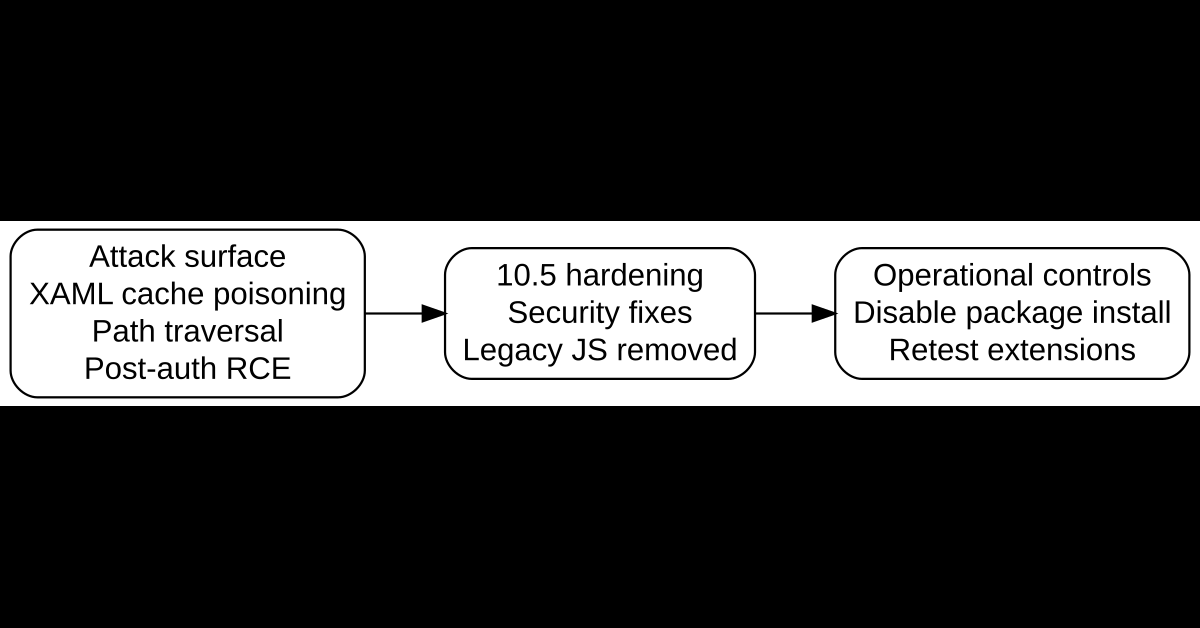
Sitecore 10.5 includes hardening for a pre-authentication XAML cache poisoning attack, a post-authentication remote-code-execution chain, SPEAK path traversal, hard-coded credentials, and legacy client-side dependencies. The valuable part for an upgrade plan is that several security changes also alter default runtime behavior.
Package Installer and Package Designer are disabled by default
The release highlights say package installation can be disabled. The breaking-change documentation goes further: in Sitecore XP 10.5 the new Sitecore.Packages.Disabled setting defaults to true. Package Installer and Package Designer are disabled out of the box.
If an operational workflow still depends on interactive package installation, the team must explicitly opt back in using Sitecore’s supplied App_Config/Include/zSitecore.InstallPackage.Enable.config patch. I would treat that as an exception requiring justification, not a default step in the upgrade.
For most production Content Management roles, removing interactive package installation is a useful reduction in attack surface. The better question is not “how do we re-enable the old workflow?” but “can the package be replaced by a controlled deployment or serialization process?”
Legacy JavaScript removal can fail silently
Sitecore removes a long list of legacy JavaScript and CSS files from the CM shell. Custom XML shell layouts, ASPX pages, ribbon commands, dialogs, and SPEAK components that reference those files by path can fail without crashing the server.
Sitecore provides replacements for some paths, such as moving jQuery consumers to jquery-3.6.3.min.js and jQuery UI consumers to the 1.13.2 path. Other removed assets have no Sitecore-provided replacement and must be removed or reimplemented.
# Search custom CM extensions for direct dependencies on removed shell assets
Get-ChildItem -Recurse -File -Include *.js,*.cshtml,*.aspx,*.xml |
  Select-String -Pattern 'jquery-1\.|jquery-3\.6\.1|jQueryUI\\1\.9\.2|jQueryUI\\1\.10\.3|SitecoreHtmlEditor\.js|SitecoreModalWindow\.js|SitecoreTreeview\.js|Scriptaculous|chosen\.jquery' |
  Select-Object Path, LineNumber, Line
This is a better pre-upgrade test than waiting for an editor to discover that one rarely used dialog no longer works.
Item Service search becomes stricter
Sitecore 10.5 tightens Item Service search authorization. Anonymous search endpoints now require both the existing anonymous Item Service allowance and a new Sitecore.Services.AllowSearchServiceAnonymousUser setting. Deployments that previously allowed anonymous Item Service search can start returning 403 Forbidden after the upgrade.
Search security checks are also enabled by default through Sitecore.Services.EnableSearchSecurity=true, so users without read access no longer receive restricted items in Item Service search results. If your solution integrates directly with Item Service Search or SearchViaItem, treat this as an API contract change and test it with real service accounts and permissions.
An important limitation
Upgrading to 10.5 does not make a Sitecore deployment “secure.” The release addresses platform vulnerabilities and reduces specific attack surfaces, but security still depends on network exposure, identity, MFA, patch cadence, custom code, least privilege, secret storage, WAF/CDN controls, headers, TLS configuration, operational access, and incident response. This article is about upgrade engineering, not a complete Sitecore security architecture.
5. Observability and messaging changes deserve their own workstream
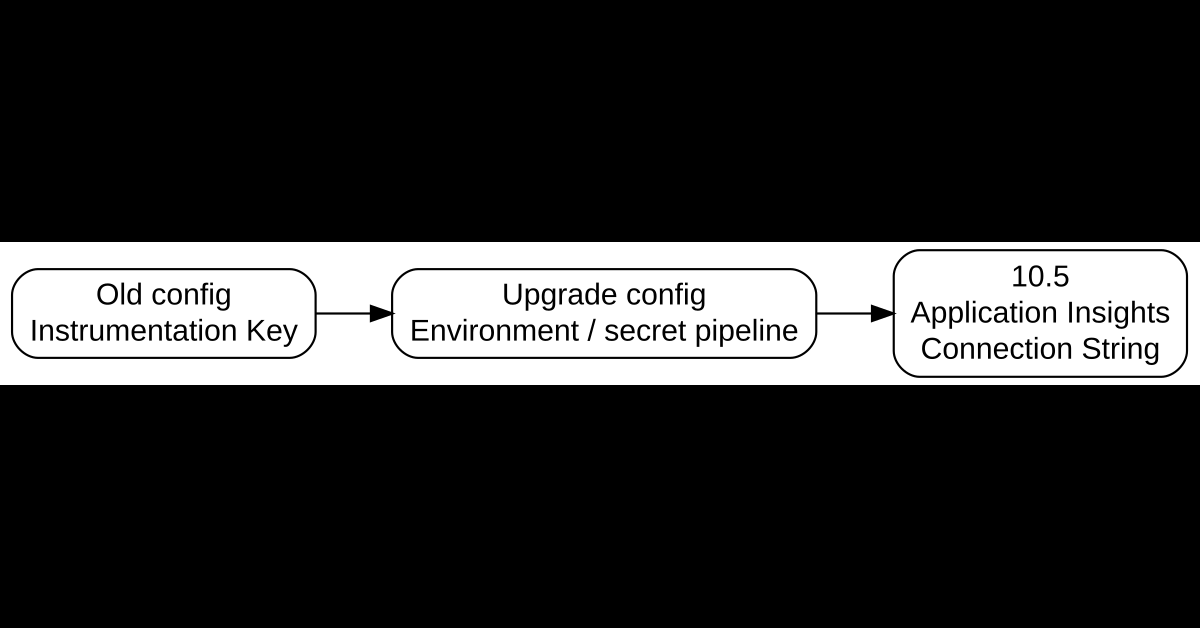
Sitecore 10.5 removes Instrumentation Key-only Application Insights configuration and moves messaging dependencies to the current Azure Service Bus SDK family. The breaking changes also include SQL schema and certificate-validation changes for the Sitecore.Messaging transport database.
None of these changes are visible on a homepage smoke test. That is exactly why they need explicit acceptance criteria.
Distinguish Sitecore platform telemetry from xConnect configuration
For platform roles, the release notes state that customers using AppInsightsKey with an Instrumentation Key value in AppSettings.config must replace that value with a Connection String. For xConnect-related telemetry, the breaking-change document is more specific: AppInsightsKey configuration is migrated to AppInsightsConnectionString.
A repository search should therefore look for both the old value format and the old xConnect setting name.
$patterns = @(
  'AppInsightsKey',
  'InstrumentationKey',
  'AppInsightsConnectionString',
  'APPLICATIONINSIGHTS_CONNECTION_STRING'
)

Get-ChildItem -Recurse -File -Include *.config,*.json,*.yml,*.yaml,*.ps1 |
  Select-String -Pattern $patterns |
  Select-Object Path, LineNumber, Line
After deployment, generate traffic on every relevant role and validate requests, dependencies, exceptions, traces, custom events, and the cloud-role dimensions used by dashboards and alerts.
Use KQL as an observability regression test
requests
| where timestamp > ago(30m)
| summarize Requests=count(), Failures=countif(success == false) by cloud_RoleName
| order by cloud_RoleName asc
Run equivalent checks for exceptions and dependencies. The exact role names vary by topology, but the principle is stable: every role that produced telemetry before the upgrade should still produce the expected telemetry after it.
Azure Service Bus is not only a package rename
Sitecore updates dependencies from Microsoft.Azure.ServiceBus to Azure.Messaging.ServiceBus. If custom code references the old SDK directly, plan an intentional migration. The newer SDK has a different object model and different guidance around clients, processors, retries, and lifetime management.
Get-ChildItem -Recurse -File -Include *.cs,*.csproj,packages.config,*.config |
  Select-String -Pattern 'Microsoft\.Azure\.ServiceBus|Azure\.Messaging\.ServiceBus' |
  Select-Object Path, LineNumber, Line
Do not use binding redirects as a substitute for understanding custom messaging code.
The Messaging SQL database has a schema upgrade
Sitecore 10.5 changes the Sitecore.Messaging SQL transport schema after the Sitecore Framework dependency update. The Sitecore_Transport receive index changes, and Sitecore_DataBus.Id grows from varchar(200) to varchar(400) with a clustered primary key requirement.
Environments using the Messaging SQL transport database must run the official Messaging database upgrade script. This is another reason not to reduce the database upgrade plan to “upgrade Core/Master/Web and start the containers.”
Containerized Messaging SQL connections may need a trusted root CA
The updated SQL client used by the platform applies stricter certificate validation to encrypted SQL connections. For affected containerized and AKS roles using the Messaging SQL database, the container must trust the SQL Server certificate chain when Encrypt=true and TrustServerCertificate=false.
If your current topology relies on a private CA, explicitly validate that the root CA is installed in every affected xConnect/xDB container. A certificate failure discovered after cutover can look like a messaging outage even though SQL itself is healthy.
6. Convert Sitecore’s resolved issues into acceptance tests
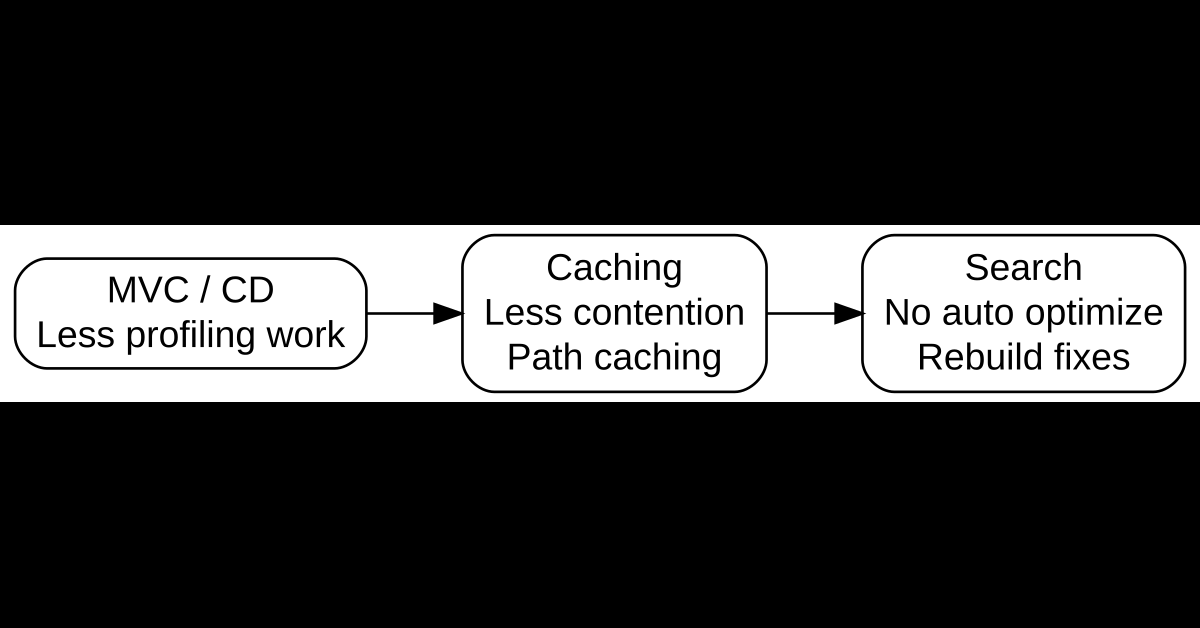
The strongest part of 10.5 for many production teams may be the list of operational defects that are fixed. The right way to use those fixes is not to copy them into a status deck. Convert the ones relevant to your estate into explicit tests.
Publishing tests need to cover both fixes and changed behavior
Sitecore 10.5 fixes an Incremental Publish race condition that could skip items, a workflow/language interaction that could remove live pages, Smart Publish behavior with related items, and DuplicateItemNameException during renamed-item publishing.
There is also a new behavior to understand. Publishing.CheckDuplicateNameOnPublish defaults to true. If a publish would create a duplicate sibling name in the target database, Sitecore skips the item and logs a warning instead of writing the conflict.
That means a publishing regression should include both correctness and log inspection. Search publishing logs for messages such as Publish: Duplicate item name or Item skipped due to duplicate name validation.
For a multilingual fixture, I would test this sequence:
- Create an item with English and Spanish versions.
- Put one language into a non-final workflow state.
- Publish the other final version and verify the live page remains.
- Rename a child item in Master and create a conflicting sibling scenario in Web.
- Run the relevant publish mode and verify the expected item is skipped rather than producing an invalid target tree.
- Add a component whose datasource references another item and verify Smart Publish with related items transfers the reference target.
- Compare the actual target database state, not only the “publish completed” message.
Search correctness now includes preserved context and security state
Sitecore fixes Context.Site being null in computed index fields during parallel indexing and changes the parallel indexing model so the calling thread’s security state and site context are propagated into worker threads.
That fixes incorrect values, but it can also change the output of custom IComputedIndexField implementations that implicitly depended on Context.Site being null or security being disabled. Search custom code for IComputedIndexField, ParallelDisabledSecurityProxy, and ParallelForeachProxy, then compare representative computed values before and after migration.
Also create two users or roles with different read permissions, execute the same search in each security context, and assert that restricted items do not leak into the lower-privilege result set.
MVC profiling behavior changes as part of the performance work
The release highlights state that MVC profiling processors are disabled on Content Delivery. The breaking-change document explains the behavior more precisely: the relevant MVC profiling/statistics processors now run only when the Sitecore environment includes Profiling.
If a custom monitoring dashboard currently consumes Sitecore rendering statistics from a normal CM or CD role, those metrics can silently disappear after upgrade. Decide whether to operate a dedicated profiling environment or explicitly restore the processors after reviewing their per-request overhead.
This is why I would not publish a generic claim that 10.5 makes every Sitecore implementation faster. I have not benchmarked every topology, and the release changes both hot paths and observability behavior. Measure your own workload using the same page set and load profile before and after migration.
Device Detection trades more memory for faster lookup by default
Sitecore 10.5 changes DeviceDetection.PerformanceProfile from LowMemory to Balanced. That improves lookup behavior by using caches more aggressively, but it also means memory-constrained environments may consume more memory after an otherwise successful upgrade.
If the estate uses Device Detection, include memory usage in the before/after comparison. The available profiles include MaxPerformance, HighPerformance, Balanced, and LowMemory.
Editor fixes should map to real content templates
Sitecore 10.5 fixes checkbox persistence, Checklist unchecking, Rich Text Editor display at browser zoom of 150% and above, broken-link behavior, Field Editor Date/DateTime resets, disappearing components, Content Hub DAM field exceptions, and Multilist with Search selections being cleared.
Do not test these only against vanilla Sitecore templates. Reproduce them using your actual content templates, workflows, language versions, and custom field combinations. Editor acceptance testing has more value when it reflects the authoring paths editors actually use.
Headless Services deserves route-level regression
Headless fixes include incorrect hostnames being added to internal links when two site definitions share a home item, multi-level wildcard resolution, intermittent subscription errors, and OData returning items when the requested language has no version.
If you run JSS/Next.js or another rendering host, test full routes through the application rather than only calling an endpoint manually. Validate link generation, language behavior, wildcard routes, editing endpoints, GraphQL requests, and OData calls used by the solution.
GraphQL Playground removal is more than a missing UI
The built-in GraphQL Playground is removed because HotChocolate.AspNetClassic.Playground is deprecated and contained critical bugs. Sitecore recommends external tools such as Postman or Insomnia.
The breaking changes also remove GraphQL.ExposePlayground, the Playground OWIN processor, redirect middleware, settings endpoint, and related extension methods. Search configuration for patches anchored around RegisterPlayground and custom startup code using UseCustomPlayground or ApplyPlaygroundRedirect.
Replace support runbooks with source-controlled API collections. That is more repeatable than depending on an embedded diagnostic UI and lets the same query be tested across development, QA, and production-like environments.
7. A staged Sitecore XP 10.4 to 10.5 upgrade playbook
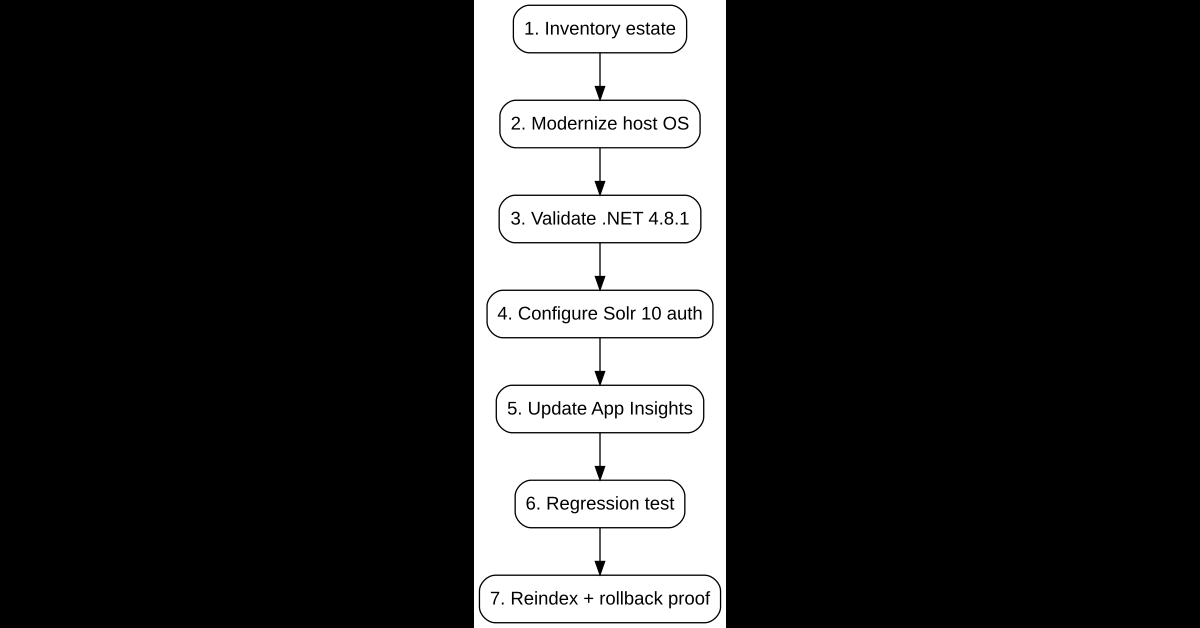
The safest 10.5 upgrade is staged around failure domains. The exact sequence changes by topology, but the order below keeps infrastructure, runtime, search, data, and application behavior separate enough to troubleshoot.
Phase 1: inventory and target matrix
- Record Sitecore roles, versions, image tags, Windows host versions, SQL platform, Solr topology, xConnect roles, Identity Server, Application Insights settings, Messaging transport, modules, custom assemblies, and CI prerequisites.
- Choose Windows Server 2022 or 2025 for the target container baseline.
- Plan the mandatory Solr 10 move before the Sitecore application cutover.
- If the estate is on SQL Server 2019, plan the mandatory SQL move to 2022 or 2025.
- Verify current compatibility for every Sitecore module and third-party module.
- Identify every unowned custom assembly before implementation starts.
Phase 2: platform readiness
- Move or prove Windows hosts on the target baseline.
- Update custom Docker base images and deployment agents.
- Validate Docker/AKS Windows node compatibility.
- Update .NET Framework 4.8.1 build references.
- Validate the required Microsoft Visual C++ Redistributable.
- If using WDP/msdeploy, update SQL deployment prerequisites.
- Build the existing solution on the target toolchain before mixing in unrelated feature changes.
Phase 3: Solr 10 readiness
- Provision Solr 10 before the Sitecore 10.5 application move.
- Configure separate administrative and runtime credentials.
- Move secrets into the environment’s secret-management system.
- Update custom provisioning scripts for
managed-schema.xml. - Review custom schema types, facets, schema helpers, and Content Search APIs.
- Run Schema Populate and full index rebuilds.
- Compare representative queries, facets, result counts, security trimming, and language behavior.
- Validate
SwitchOnRebuild, especially for SolrCloud. - Review proxies/WAF/logging for POST-based Solr queries.
Phase 4: application and configuration merge
I strongly prefer a clean-baseline approach: start with 10.5 configuration and reapply intentional customizations. Do not copy the old App_Config directory wholesale.
Ask these questions for every old patch:
- Is this customization still required?
- Does the target setting or processor still exist?
- Did Sitecore change the default behavior?
- Was this patch a workaround for a defect now fixed?
- Does it patch relative to a processor removed in 10.5?
- Does it contain a credential that should move to secrets?
Phase 5: databases, Identity, and messaging
Run the official topology-specific database upgrade procedures. The release notes are not a database migration guide. Sitecore 10.5 has database implications beyond Core/Master/Web, including Identity Server schema requirements and the Messaging SQL transport schema.
If upgrading to Identity Server 8 from an earlier Identity Server version, Sitecore documents a PersistedGrants schema change that requires the provided Identity database upgrade script.
For Messaging SQL, run the documented schema upgrade and validate encrypted connectivity from affected container roles, including root CA trust when certificate validation is enabled.
Phase 6: observability and integrations
- Migrate Application Insights configuration to Connection Strings.
- For xConnect telemetry, replace the old
AppInsightsKeyconfiguration withAppInsightsConnectionStringwhere required by the 10.5 guidance. - Verify telemetry from every relevant role using saved KQL queries.
- Search for direct
Microsoft.Azure.ServiceBusdependencies. - Migrate custom messaging code where necessary.
- Run queue/topic tests that include retry and failure scenarios.
- Retest EDS, EXM, forms, external APIs, and any integration that can fail after the platform itself starts.
Phase 7: acceptance tests by failure domain
| Failure domain | Representative test | Evidence |
|---|---|---|
| Container platform | Every role starts on target Windows image | Healthy containers, probes, startup logs |
| SQL | All Sitecore databases on supported platform | Version inventory + connectivity tests |
| Runtime | Custom assemblies load and execute | No binding failures; functional suite |
| Solr 10 | Schema Populate, rebuild, facets, representative queries | Counts, IDs, facets, security checks, timings |
| Publishing | Workflow/language/related-item/duplicate-name scenarios | Expected Web DB state + logs |
| Authoring | CE/EE/RTE/custom fields and extensions | Editor acceptance checklist |
| Headless | Routes, wildcard pages, language, links | Application-level regression suite |
| Observability | Requests/dependencies/exceptions/traces | Saved Application Insights queries |
| Messaging | Queue/topic/database/certificate paths | Processing and failure tests |
| Security | Package controls, Item Service, search permissions | Security regression results |
| Rollback | Restore previous app/data routing | Rehearsed runbook with measured duration |
Phase 8: production cutover gates
I would not approve the production move until all of these statements are true:
- No LTSC2019 dependency remains in runtime or build paths.
- No Sitecore database remains on SQL Server 2019.
- Solr 10 is provisioned, authenticated, rebuilt, and functionally validated.
- Every custom assembly and module has an owner and disposition.
- BinaryFormatter-related custom APIs have been removed or replaced.
- Application Insights is proven on every relevant role.
- Messaging database and certificate changes are validated where applicable.
- Publishing, authoring, search, and headless regression suites pass.
- Known 10.4 workarounds have an explicit retain/remove decision.
- Rollback has been rehearsed, not merely documented.
Rollback needs a data-format warning
A rollback plan should not assume that every 10.5 write is backward-readable. BinaryFormatter replacement is explicitly backward-compatible in the old-to-new direction for affected serialized data, but some data regenerated by 10.5 cannot be consumed by earlier versions. That makes pre-cutover backups and clear restore boundaries more important than simply retaining the previous container tags.
What I would not combine in the same cutover
I would avoid pairing the 10.5 production cutover with a major content-model redesign, headless replatforming, new CDN, deployment-system rewrite, large serialization restructure, or unrelated feature release. Those may be valuable projects, but they are poor companions for an infrastructure-heavy platform upgrade because they destroy fault isolation.
The Solr 10 move is not in that optional category. For Sitecore XP 10.5 it is part of the supported platform baseline and should be proven before the application cutover.
Should you upgrade now?
I would prioritize 10.5 when Windows Server 2019 or SQL Server 2019 is blocking infrastructure modernization, security policy favors the latest Platform DXP hardening, production is affected by publishing/search defects fixed in 10.5, or the organization intends to operate XP for several more years.
I would be more cautious when a critical Sitecore or third-party module is still awaiting 10.5 compatibility, a near-term replatforming is already funded, regression automation is effectively nonexistent, or the estate cannot produce a credible rollback plan. “Latest” is not a migration strategy. Operational risk reduction is.
Frequently asked upgrade questions
Can Sitecore XP 10.5 containers run on Windows Server 2019?
No. Sitecore does not ship 10.5 LTSC2019 container images. Containerized customers on Windows Server 2019 must move the host to Windows Server 2022 or 2025 before upgrading.
Can Sitecore XP 10.5 run on SQL Server 2019?
No. Sitecore XP 10.5 supports SQL Server 2022 and SQL Server 2025. SQL Server 2019 support has been removed.
Does Sitecore XP 10.5 require Solr 10?
Yes. The breaking-change documentation states that Sitecore XP 10.5 supports Solr 10 only. Solr 8 and Solr 9 are no longer supported or tested with 10.5.
What should I inspect first in a 10.4 container solution?
Start with Windows host versions, image tags, SQL Server version, Solr version, module compatibility, and custom Dockerfiles. Any one of those can change the sequencing of the entire project.
What custom code deserves the highest scrutiny?
Content Search extensions, schema populate helpers, computed fields, custom Telerik controls, code using Sitecore.Framework.*, xConnect clients, authoring extensions, custom serialization built on Sitecore.Convert or FileUtil, and code that references Microsoft.Azure.ServiceBus.
What is the most useful post-upgrade validation?
Do not rely on container health. Compare real publishing outcomes, Solr facets and queries, editor workflows, headless routes, integration behavior, telemetry coverage, messaging processing, and rollback readiness.
Final assessment
Sitecore XP 10.5 is a modernization release more than a demo-feature release. Its value sits in the operating baseline: Windows Server 2022/2025 containers, SQL Server 2022/2025, mandatory Solr 10, .NET Framework 4.8.1, Sitecore Framework dependency movement to .NET 10, security hardening, modern Application Insights configuration, updated messaging dependencies, and production-relevant fixes across publishing, search, authoring, and performance.
For a 10.4 team, the most important design decision is sequencing. Modernize the host and database baseline where required. Move Solr to 10 before Sitecore. Rebuild and inventory custom code against the new runtime and dependency stack. Validate native prerequisites. Move observability and messaging configuration intentionally. Turn Sitecore’s resolved issues into regression tests using your real content model and workflows. Keep unrelated architecture work out of the cutover where possible.
That is the real story under the hood of Sitecore XP 10.5. The release does not remove the need for upgrade engineering. It gives Platform DXP a more current foundation, but it also contains breaking changes that make a release-notes-only migration plan insufficient.